字體:小 中 大
 |
|
|
|
| 2012/11/23 12:20:49瀏覽214|回應0|推薦0 | |
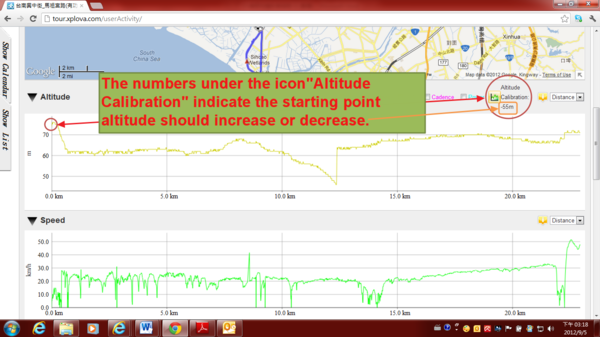
Once the altitude of starting point of activity record have error value, the cloud tour.xplova.com will remind the difference value. If the user is willing to replace the system recommends starting point altitude, select the icon "Altitude Calibration”.
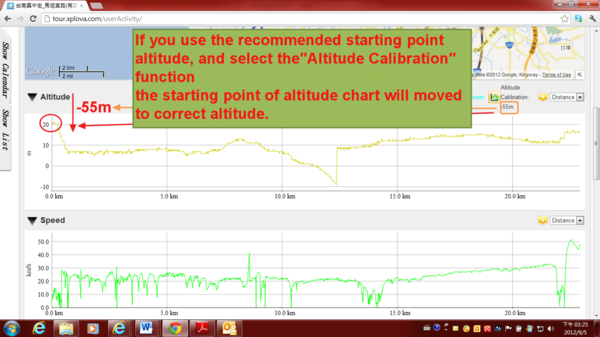
2) If you use the recommended starting point altitude, and select the "Altitude Calibration" function the starting point of altitude chart will moved to correct altitude, as shown
|
|
| ( 興趣嗜好|運動 ) |