字體:小 中 大
 |
|
|
|
| 2012/11/23 13:49:52瀏覽241|回應0|推薦0 | |
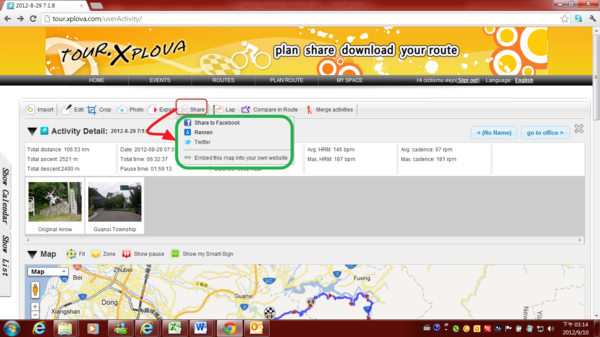
Share Function ------------------------------------------------------------------------------------------------------ To share Activities Records and Photos via community's links Share to Facebook Share to Renren Share to Twitter Or Embed this map into your own website
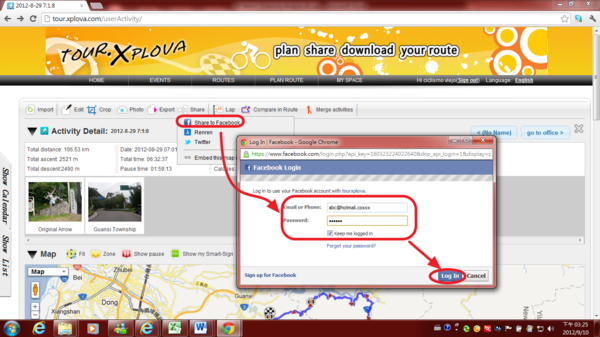
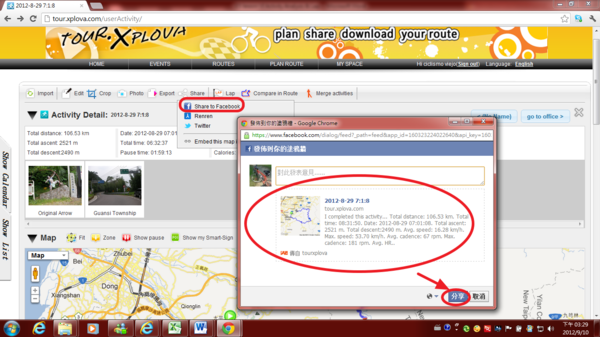
1) Share Activities Records and Photos to Facebook ---------------------------------------------------------------------------------------------------- 1.1) Agree to share activity & photos to Facebook
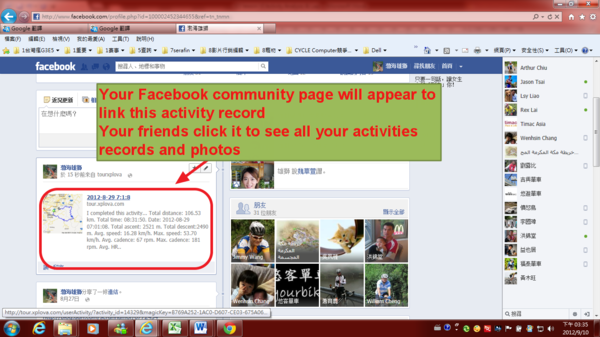
1.2) Your Facebook community page will appear to link this activity record Your friends click it to see all your activities records and photos.
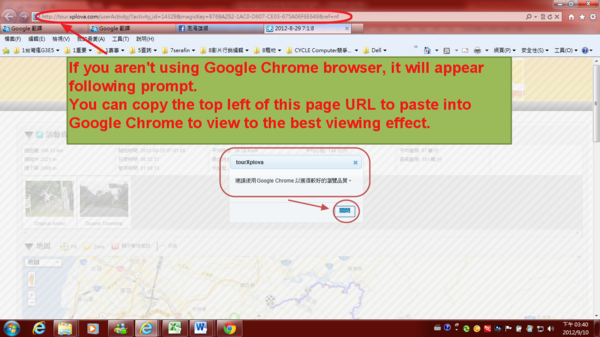
1.3) If you aren't using Google Chrome browser, it will appear following prompt. You can copy the top left of this page URL to paste into Google Chrome to view to the best viewing effect.
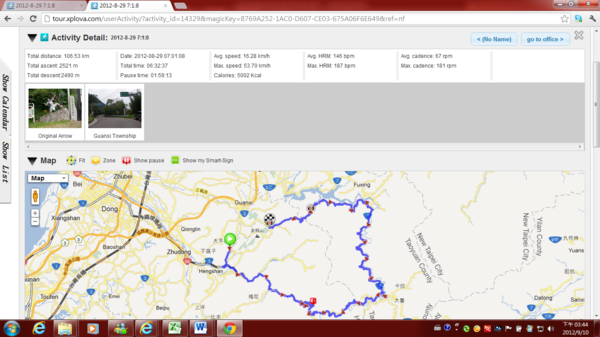
1.4) Via Google Chrome browser to view to the best viewing effect.
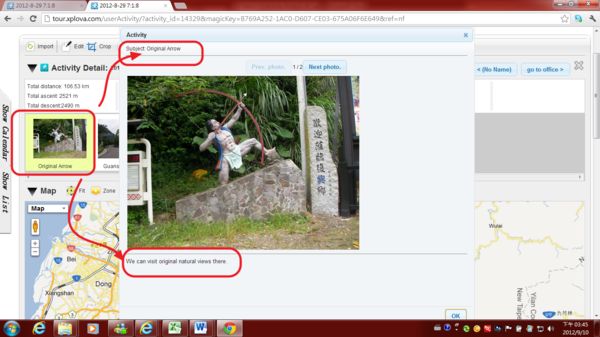
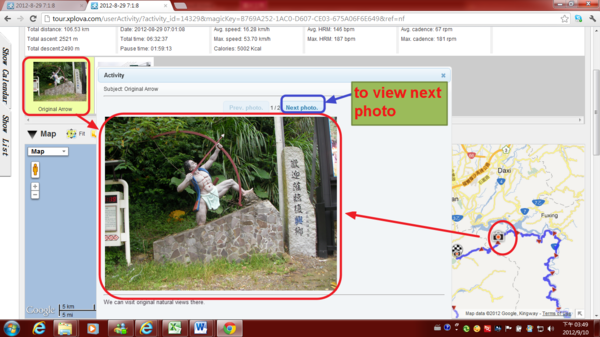
1.5) Your friends click on any photo via Facebook link, there will be large and clear photos. And to view the mood story below your photo.
1.5.1)Or, When your friend click any camera pattern of activities, they can view your photos & mood story.
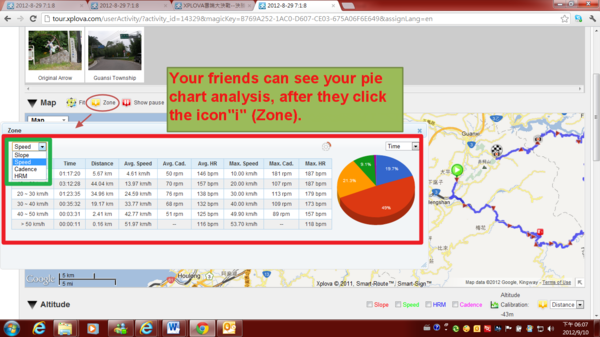
1.6) Your friends can see your pie chart analysis, after they click the icon"i" (Zone).
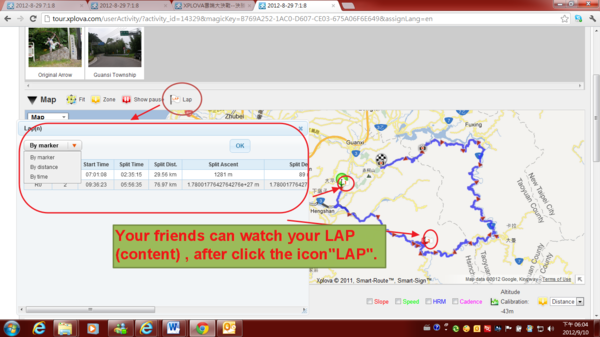
1.7) Your friends can watch your LAP (content) , after click the icon"LAP".
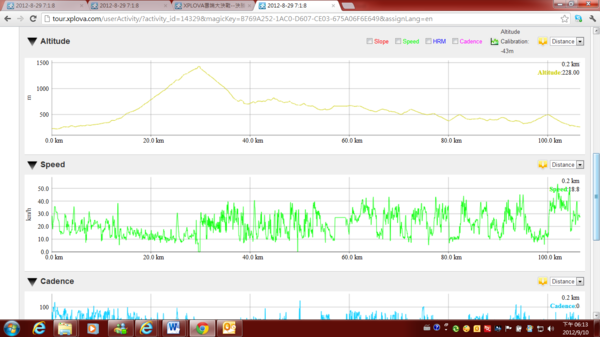
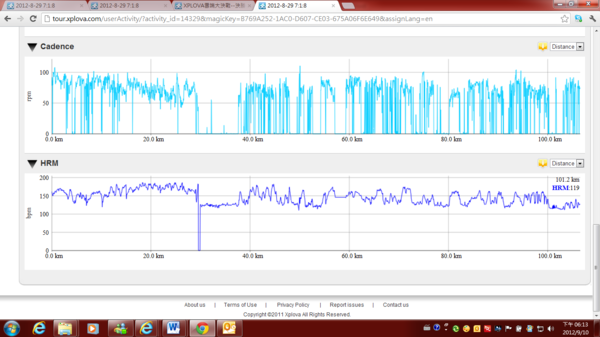
1.8) Of course, your friends can see your altitude chart, speed chart, cadence chart, heart rate chart, power chart and temperature chart etc...
|
|
| ( 興趣嗜好|運動 ) |