字體:小 中 大
 |
|
|
|
| 2021/10/30 12:47:53瀏覽142|回應0|推薦0 | |
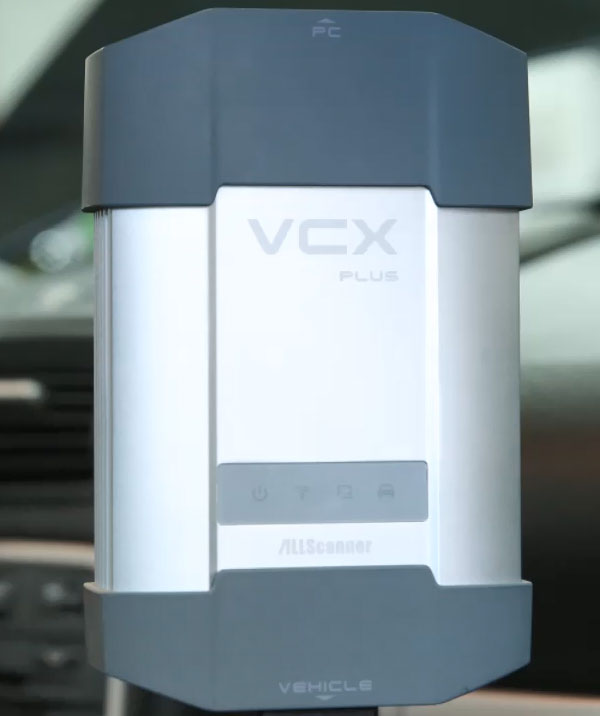
How to export HU05 control module data and program by Vxdiag Benz C6 with DTS Monaco software? Check the step-by-step guide in this post.
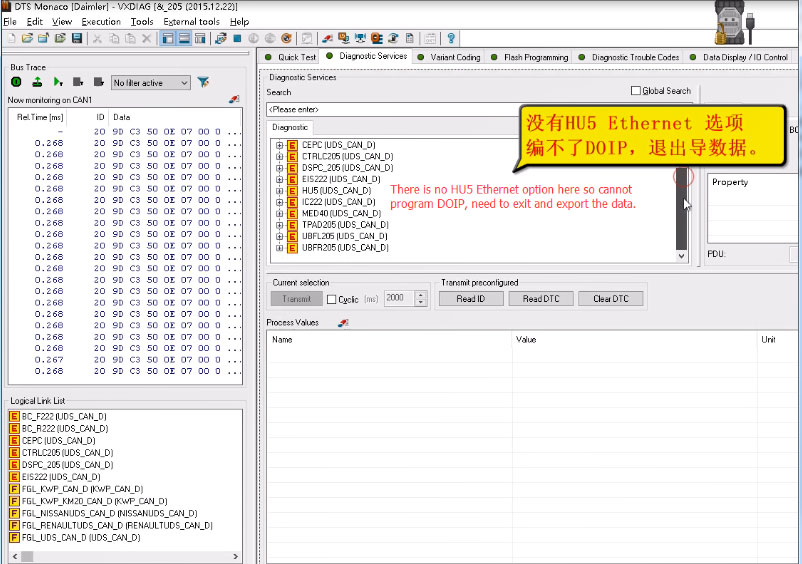
Connect Star C6 with the vehicle Run DTS Monaco software HU5 Ethernet option cannot be found in the [Diagnostic Services] option
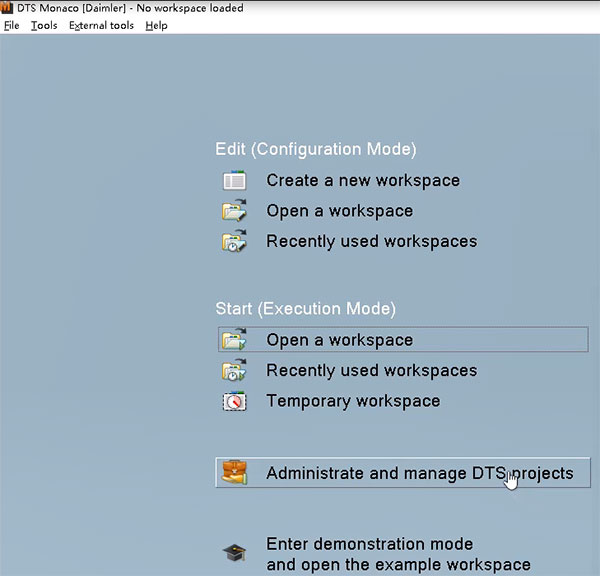
So exit the software to export the data Click on [Administrate and manage DTS projects]
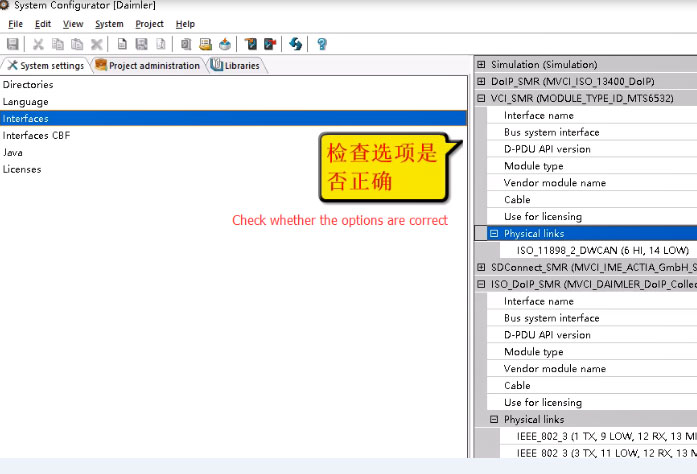
In the [System Configurator] menu, click on [System settings]-> Interfaces] Check whether the options are correct in [ISO_DOIP_SMR (MVCI_DAIMLER_DOIP_Collection)], [Physical links], [VCI_SMR (MODULE_TYPE_ID_MTS6532)] and [Physical links]
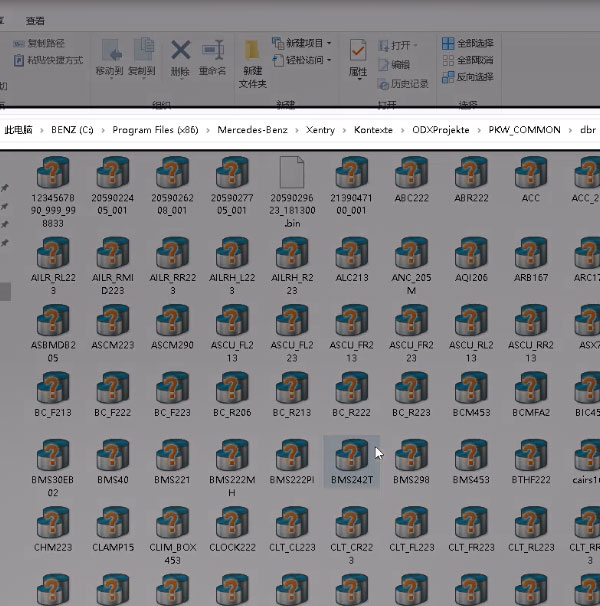
Then go to Xentry Diagnosis application location Path: Benz (C:)-> Program Files (x86)-> Mercedes-Benz-> Xentry-> Kontexte-> ODXProjekte-> PKW_COMMON-> dbr
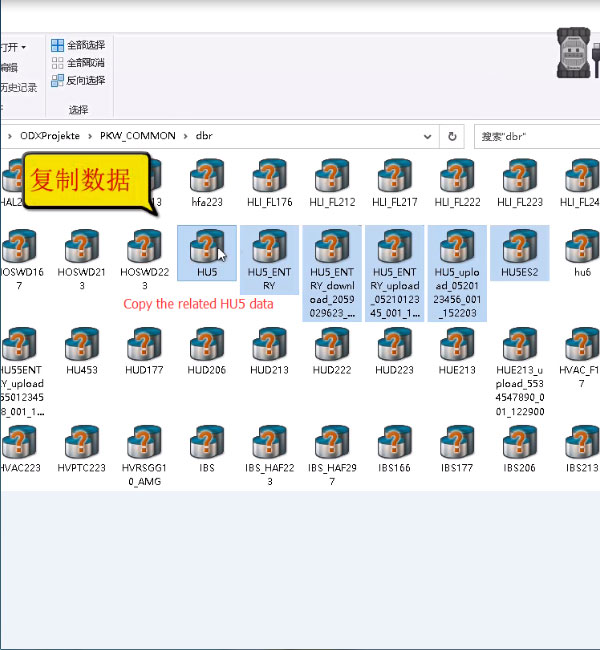
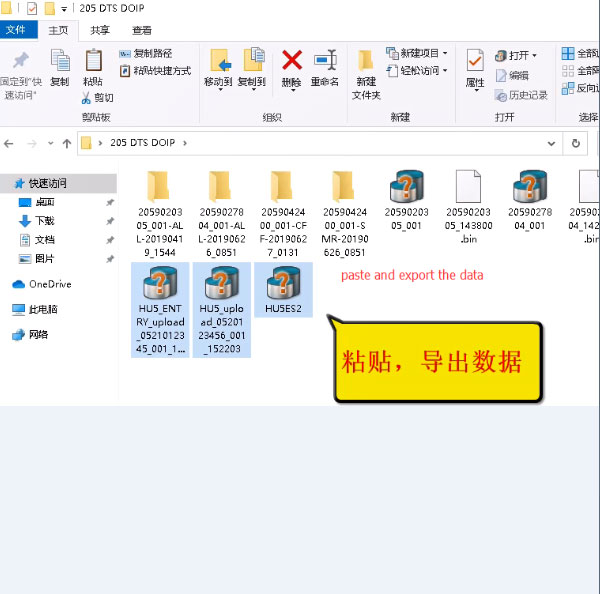
Copy all the related HU5 control module data and paste to [205 DTS DOIP] file
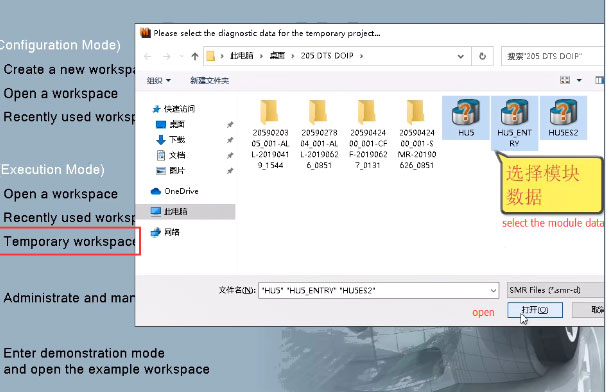
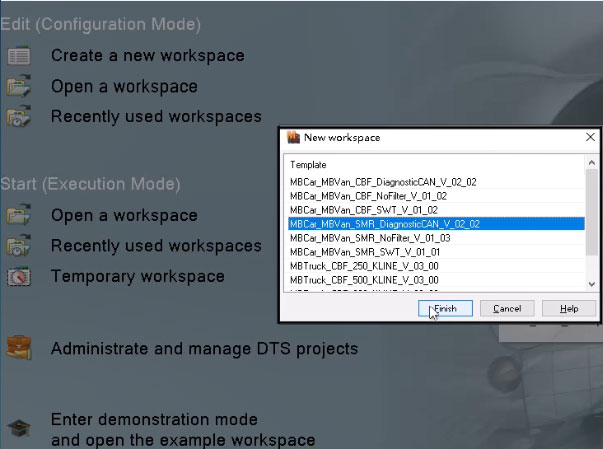
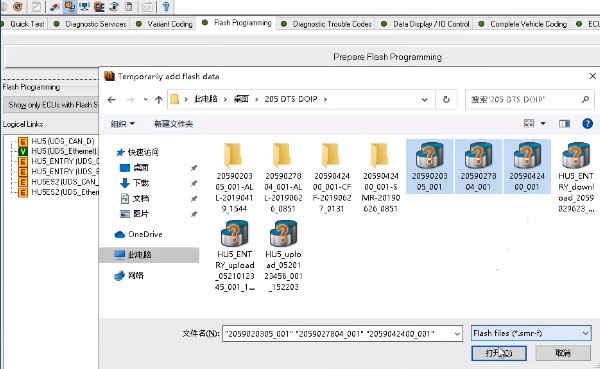
Open [Temporary workspace] Select all HU5 module data Then click on [Open]
And then click on [Finish]
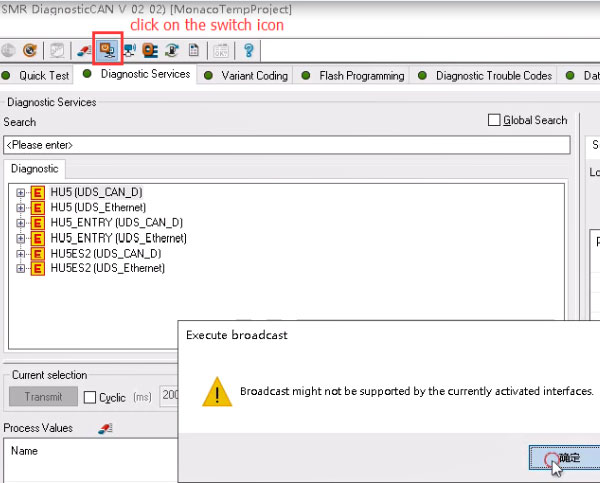
Click on the switch icon If the Execute broadcast notice pops up with the words “Broadcast might not be supported by the currently activated interfaces” as below, just click on “OK”
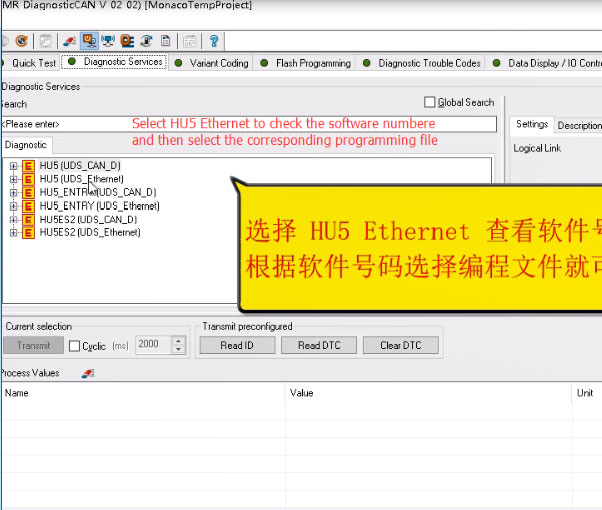
Select [HU5 (UDS_Ethernet)] option to view the software number
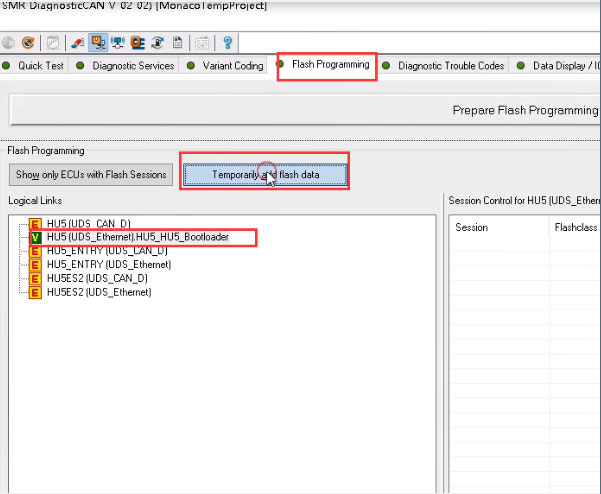
Then select [HU5 (UDS_Ethernet). HU5_HU5_Bootloader]-> [Flash Programming]-> [Temporarily add flash data]
Select the related flash files and open as below
Tick all the sessions and click on [DiagnosticService]
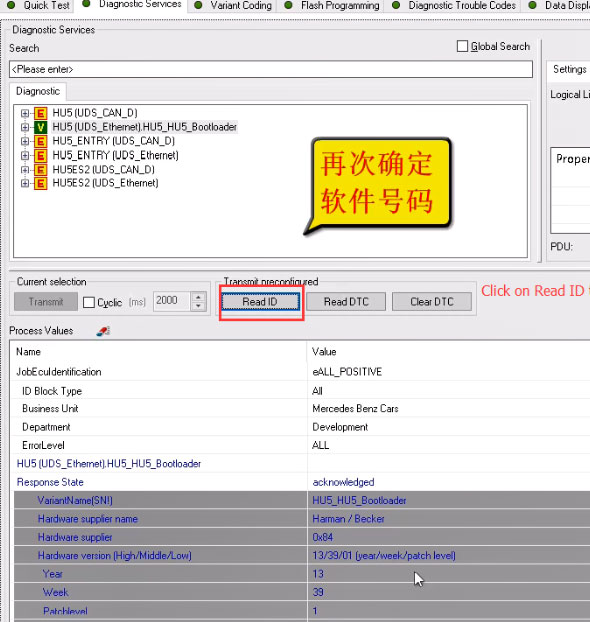
Click on [Read ID] to confirm the software number again
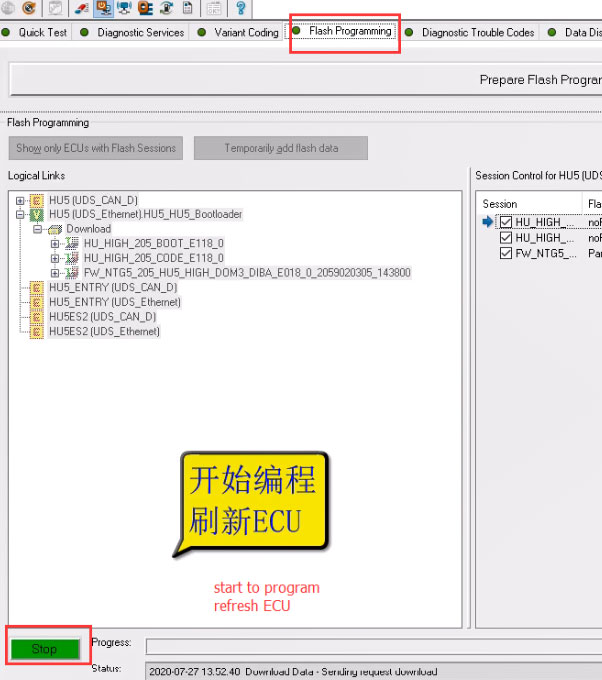
Switch to [Flash Programming] menu Click [Stop] to program and refresh ECU Operate it until the programming process is completed Done! |
|
| ( 休閒生活|其他 ) |