網路城邦
上一篇 回創作列表 下一篇  字體:
How to use VXDIAG and DPS Modify GM PSCM VIN
2024/04/10 16:35:52瀏覽458|回應0|推薦0

VXDIAG VCX NANO GM latest software contains free DPS 4.52 software. You can change the VIN number in the power steering controller with the DPS.

You can do this with DPS. If its a new/virginized controller – can be done with SPS2 too.

NOTE: DPS is just a TOOL. You wont achieve anything without appropriate RESOURCES (files). We dont provide calibration files, need to find files by yourself.

Here is an example of changing PSCM VIN on a Chevrolet Orlando 2015 using DPS.

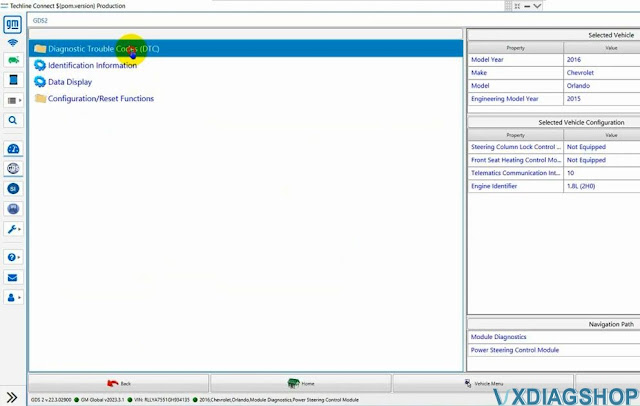
Run GDS2, Diagnostics
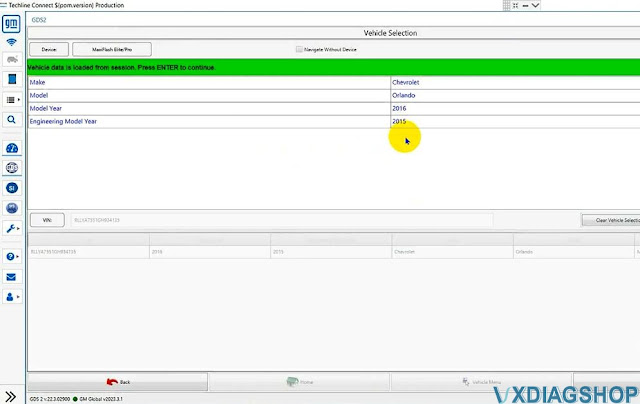
Select K43 Power Steering Control Module
Read DTC
It displays fault code C0565 VIN not plausible.

Change GM PSCM VIN by VXDIAG and DPS 1

Change GM PSCM VIN by VXDIAG and DPS 2

Change GM PSCM VIN by VXDIAG and DPS 3

Change GM PSCM VIN by VXDIAG and DPS 4

Change GM PSCM VIN by VXDIAG and DPS 5

Go back to GDS2, select Identification information
Check the VIN number
It is different from the original VIN

Change GM PSCM VIN by VXDIAG and DPS 6

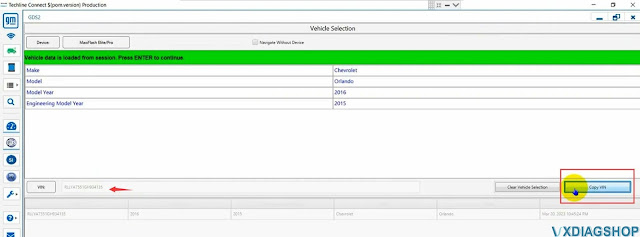
Go back to Diagnostics, Copy VIN

Change GM PSCM VIN by VXDIAG and DPS 7

Run DPS software
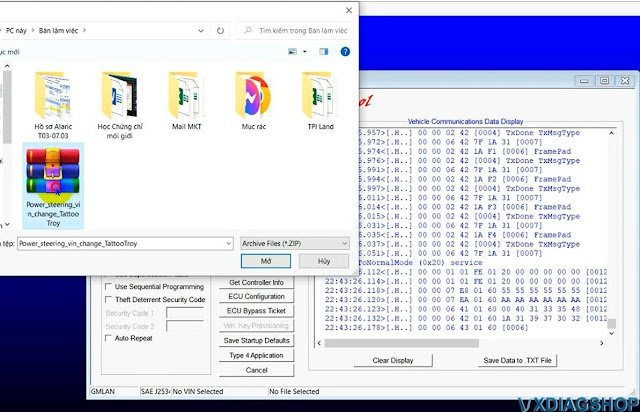
Select Cal
Upload VIN change calibration file

Change GM PSCM VIN by VXDIAG and DPS 8

Change GM PSCM VIN by VXDIAG and DPS 9

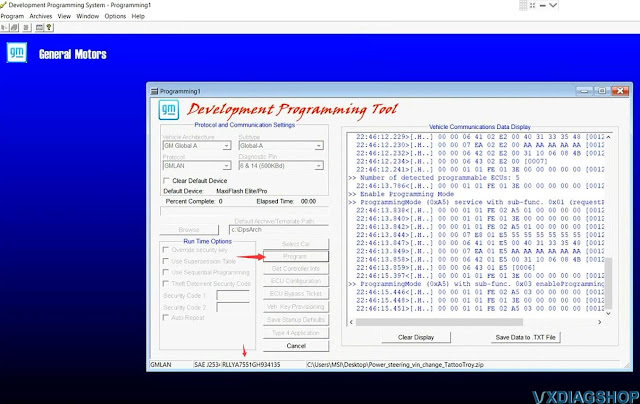
Get Controller Info
Copy VIN here

Change GM PSCM VIN by VXDIAG and DPS 10

Press Program
Enter programming mode
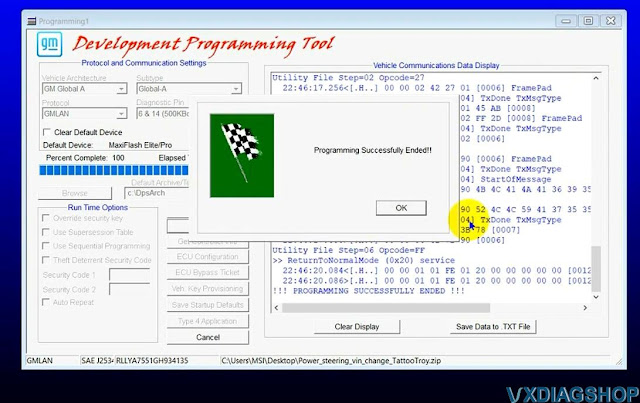
Program successfully

Change GM PSCM VIN by VXDIAG and DPS 11

Change GM PSCM VIN by VXDIAG and DPS 12

Go back to GDS2 Identification Information
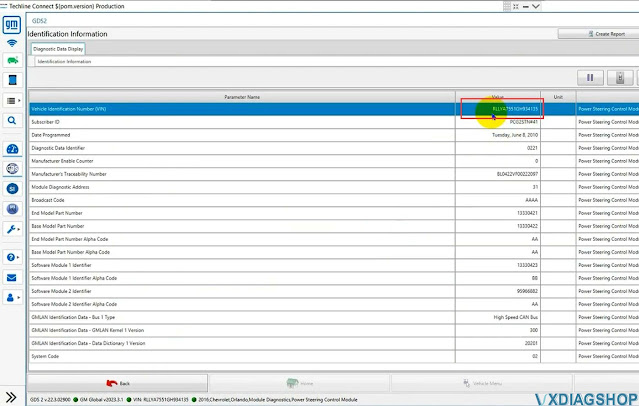
You can see the VIN number has changed.

Change GM PSCM VIN by VXDIAG and DPS 13

www.vxdiagshop.com

( 休閒生活旅人手札 )
回應 推薦文章 列印 加入我的文摘
上一篇 回創作列表 下一篇

引用
引用網址:https://classic-blog.udn.com/article/trackback.jsp?uid=bfa6ebcb&aid=180492587