字體:小 中 大
 |
|
|
|
| 2023/10/18 16:48:32瀏覽3320|回應0|推薦0 | |
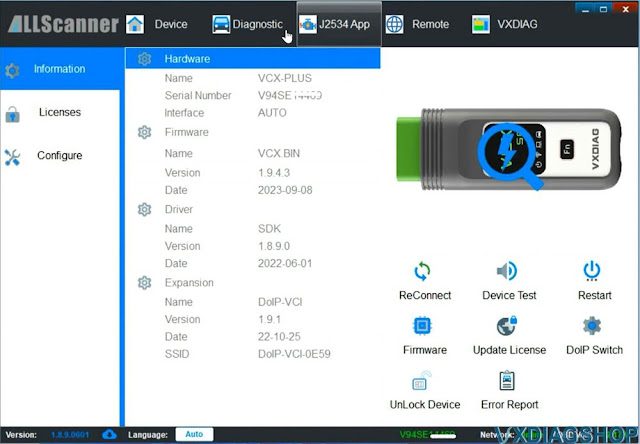
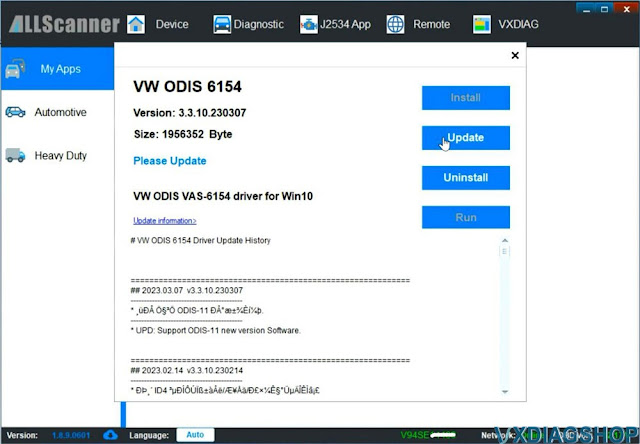
Latest ODIS offboard diagnostic service software V23.0.1 was tested working with VXDIAG 6154 scanners. ODIS 23.01 can be downloaded free here. Keygen is not included. If need activation, buy the activation service here. It contains both ODIS-S V23 and ODIS-E V17. Both can be activated free for once. https://www.vxdiagshop.com/wholesale/vw-audi-software-v23.html Version: ODIS-S 230001.105.130 License: Included License Standalone and License for all brand Compatible device: VXDIAG VCX SE 6154, VXDIAG VCX NANO 6154 as well as other passthru devices (openport 2, vnci 6154a, godiag j2534 etc) Operating system: Win10 or later O/S, RAM>4G. Win7 is not supported since this version. Language: Multi-language How to Install ODIS S V23 for VXDIAG 6154? Step 1: Install ODIS-S V23 Setup   Step 2: Activate ODIS-S 23 Open 2.Patch& License folder 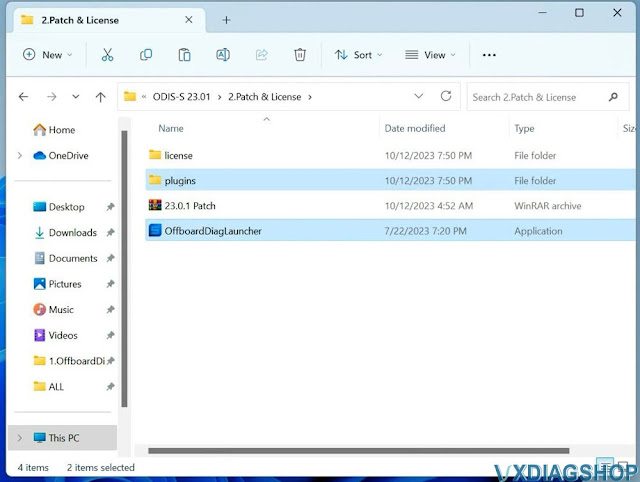 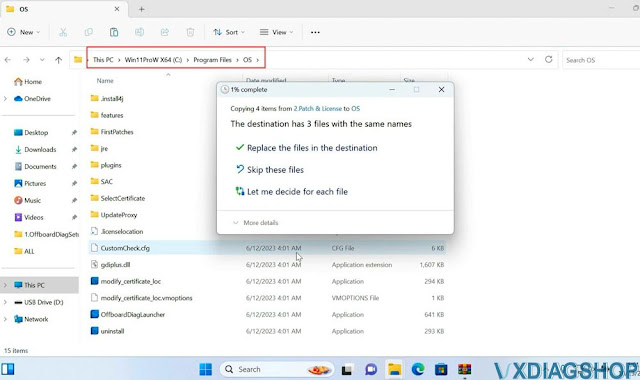 Run OffboardDiagnostic on desktop as administrator  Step 3: Install PostSetup Open 2.ODIS-Service_update_23_0_1 folder 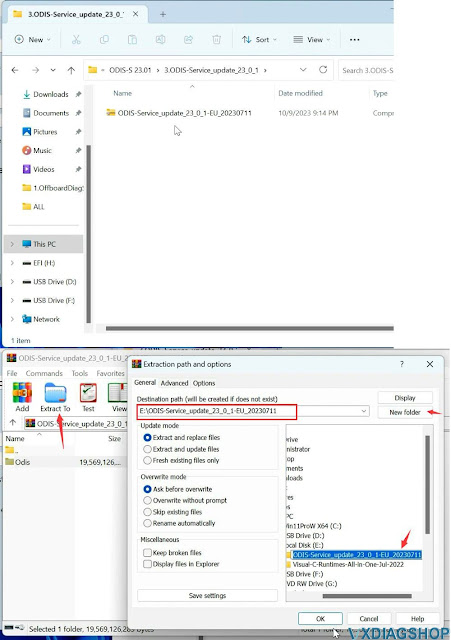 In PostSetup select from file:/E:/ODIS-Service_update_23_0_1_EU_20230711 folder 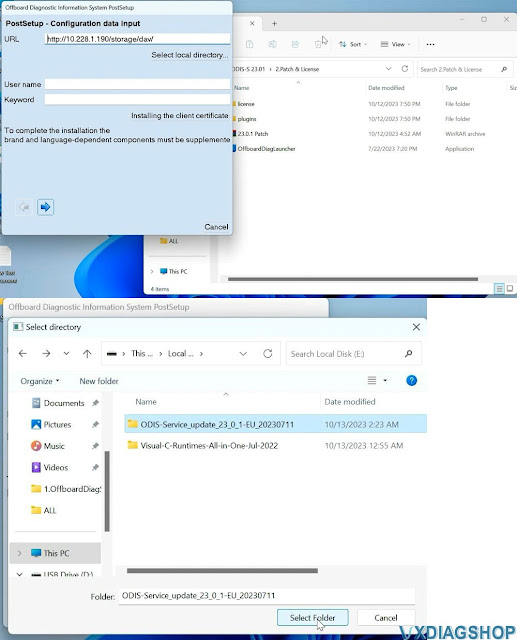 Select PostSetup language 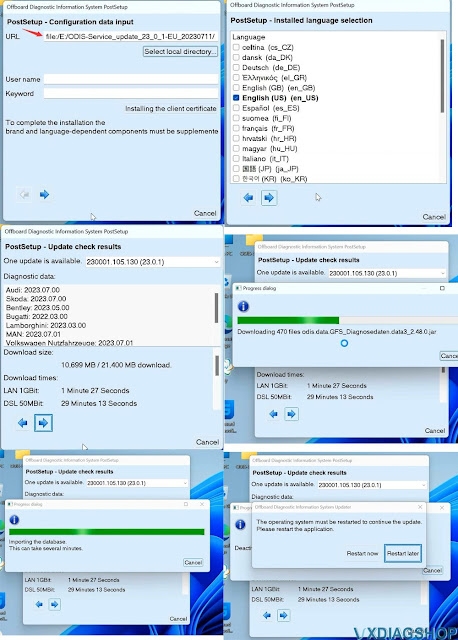 Step 4: Copy license 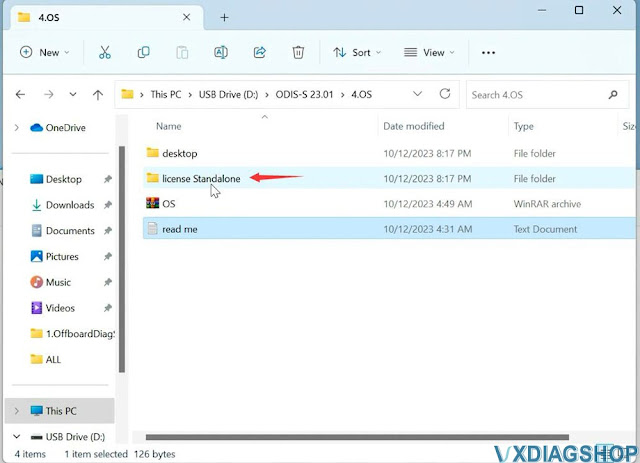 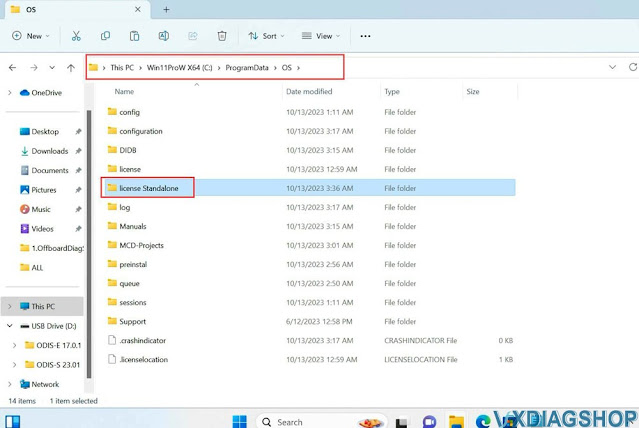 Copy shortcut icon in the "Desktop" folder to desktop 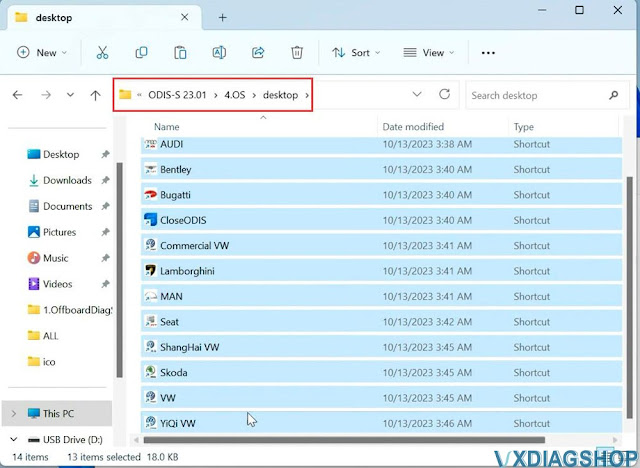 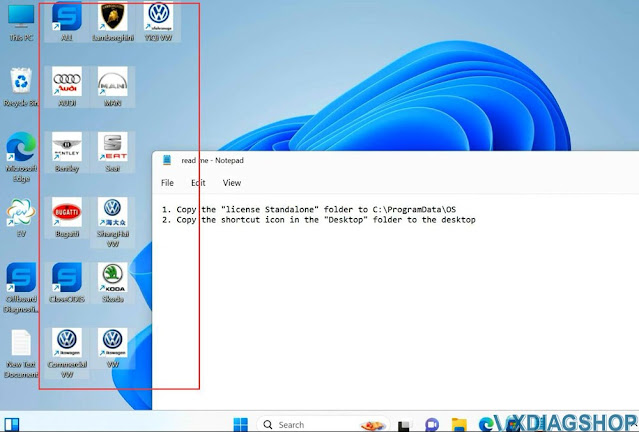 Step 5: Install Driver  For example, install VX Manager driver for VXDIAG VCX SE 6154  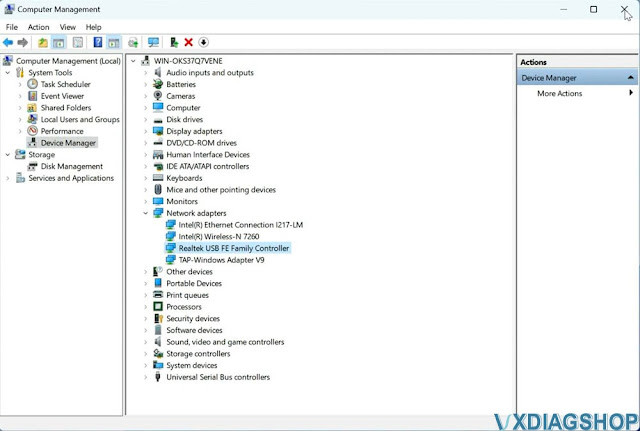 Check if the device is well connected in the Device Manager
Step 6: |
|
| ( 休閒生活|旅人手札 ) |