字體:小 中 大
 |
|
|
|
| 2020/07/21 09:32:27瀏覽157|回應0|推薦0 | |
Ford IDS 118.01 is verified working fine with VCM2 clone and vxdiag vcx nano by running with win7/8/10 32/64bit. Download Free Ford IDS V118.01 Mazda V118.01 IDS patch for VCX Nano
OS: win7/8/10 32/64bit
Language: English, German, French, Italian, Dutch, Spanish, Swedish, Finnish, Danish, Norwegian, Portuguese etc Compatible with VXDIAG VCX NANO for Ford Mazda (USB & Wifi version ) vxdiag vcx pro, vxdiag full, vcm2 clone (using vxdiag solution) etc. How to install Ford /MAZDA IDS V118.01 For VXDIAG VCX NANO & VCM2 video: https://youtu.be/0UoRauT_N5E Procedure
Open the folder "Ford Install", then "IDS-118.01_Full".
Choose IDS language.
Recommend you restart the computer.
Welcome to the InstallShield Wizard for IDS.
Agree the license agreement. Please select the destination drive, then click on "Next". IDS is configuring your new software installation.
Updating the database.
Reboot the computer.
Open the folder "Ford Install", then "VCI_Software_1.0.0.0." to install until successfully.
Open "VCI Manager (Ford) 19.04.28".
Open "F-M_Patch" then copy "IDSPatch" and paste it on the desktop.
Open "IDSPatch" on the desktop, choose "Dealer type: non-dealer" and Country "Botswana", then "confirm".
Welcome to IDS 118.01 menu.
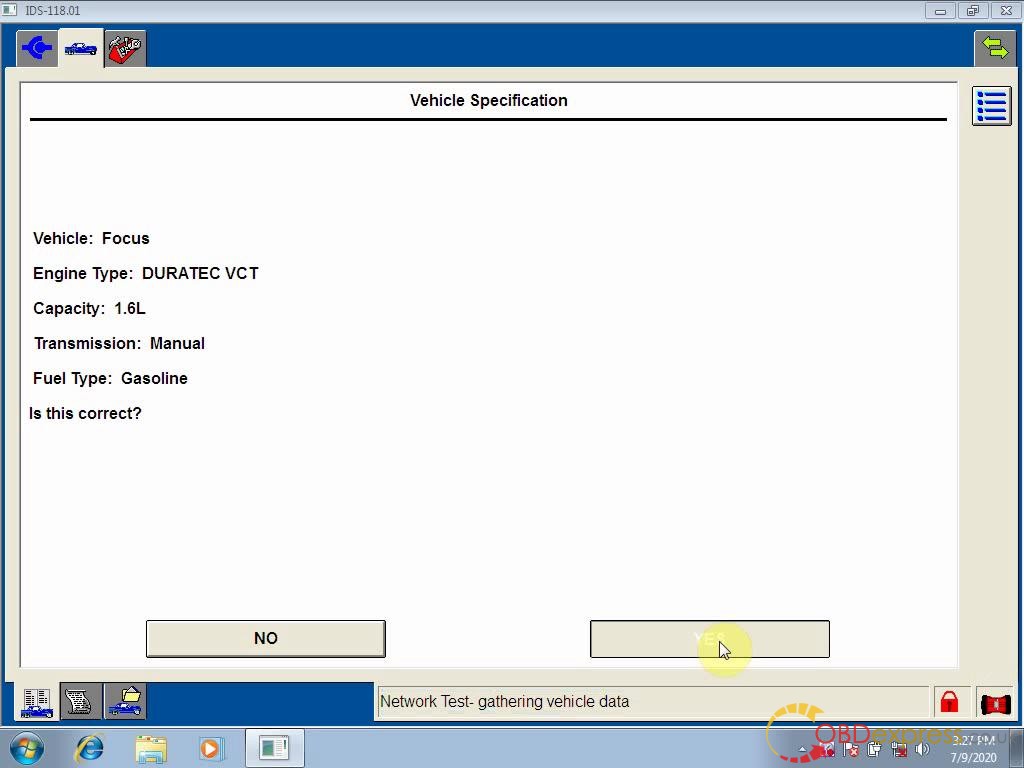
Choose "Start New session" -> "All other", then confirm. Operation in process. Vehicle specification.
Confirm.
Self test.
Powertrain -> Engine -> retrieve CMDTCs.
Set the ignition switch to ON.
Reading continuous DTCs.
Job is done. Good luck! Source:http://blog.obdexpress.co.uk/2020/07/20/how-to-install-ford-ids-118-01-for-vcm2-clone/ |
|
| ( 心情隨筆|工作職場 ) |