字體:小 中 大
 |
|
|
|
| 2020/07/21 09:31:54瀏覽41|回應0|推薦0 | |
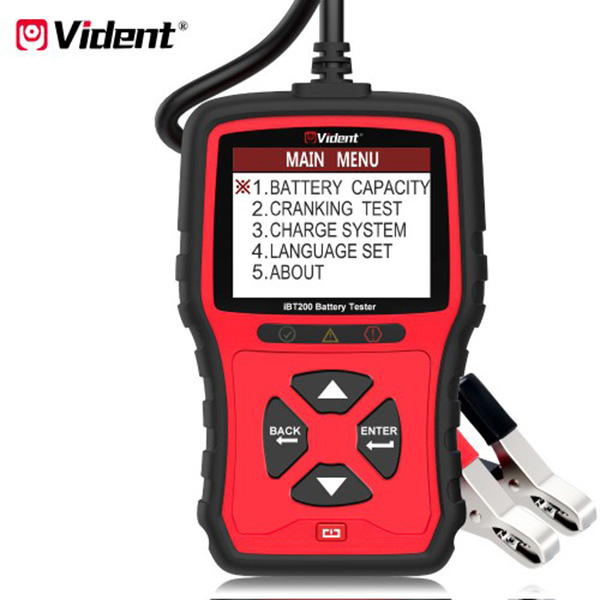
How to use VIDENT IBT200 battery tester for 12V passenger vehicles and 24V heavy duty trucks? Check the step-by-step guide as below (attached images & video).
Connection: The red shelf is connected to the positive pole The black shelf is connected to the negative pole When the connection is normal, start Vident IBT200, it will enter battery volts page automatically 12V is for the car 24V is for the truck
Enter Main Menu There are 5 options including: 1.BATTERY Capacity 2.CRANKING TEST 3.CHARGE SYSTEM: 4.Language SET 5.ABOUT
1.BATTERY CAPACITY: Select Battery type-> VRLA/GEL/AGM/SLA->CCA TYPE The current CCA is CCA 640A (SAE/EN) Adjust the value by pressing <UP> or <DOWN> button
Then press <ENTER> button to test The test result will be displayed as below
2.CRANKING TEST: Make sure engine and all loads in off status, then press <ENTER> Start Engine RPM detected The test result will be shown as below
3.CHARGE SYSTEM: Turn on all loads speed up to 2000 to 2500 rpm, then press <ENTER>
Turn off all loads speed up to 2500 to 3500 rpm, then press <ENTER> The test result will be shown as below
4.LANGUAGE SET: The following languages are available: English, German, Italian, French, Spanish, Portuguese, Hungarian, Polish, Slovak, Czech, Russian, Dutch, Swedish, Japanese Press <DOWN> or <UP> button to select the language you desire, then press <ENTER>
Video reference: Related post: Vident IBT200 12V& 24V Battery Analyzer User Manual: http://blog.obdiitool.co.uk/vident-ibt200-battery-analyzer-user-manual/ |
|
| ( 不分類|不分類 ) |