


 字體:小 中 大 |
|
|
|
| 2020/10/15 16:12:16瀏覽69|回應0|推薦0 | |
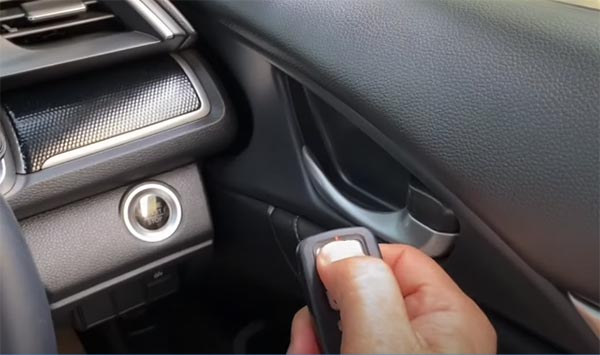 Autel IM508 can be used on Honda Civic to add key, do all key lost, reset immobilizer, replace IMMO components (engine/immobilizer/for blade key), (smart IMMO box/for smart key) and read live data/DTC. This post will share how to add more smart remotes on a 2018 Honda Civic by keyless system. Tools need:
Procedures:
Check if the ignition is turned on by pressing Start button twice. Then it will configure system automatically Select [Registration]-> [Add Smart Key]
Pay attention to the registration condition: 1.There is no DTCs. 2.There must be one registered keyless remote. 3.One keyless remote that is capable of starting the engine must be in the vehicle 4.The ignition switch must be turned on (II) using the keyless remote. (The ignition key must not be used). Registration notice: Ensure the following processes to reduce noise as much as possible during keyless remote registration: -Turn off all electrical devices (e.g., navigation and audio systems) -Separate the diagnostic tool from the keyless remote as much as possible -Close all doors, windows and sunroofs Turn the ignition switch off Note: Don’t press the foot brake and press the engine start/stop button Wait for the ECU to stabilise… Take registered remote inside the car and all others outside
Turn the ignition switch on Checking vehicle condition… Take all original keyless access remotes out of the vehicle (within 100 sec) Take a new smart remote into the car
Register the new smart remote successfully
Turn the ignition switch off and then on Check if both the keyless are access and immobilizer indicator lights are turned off
Turn the ignition switch off and then on again The registration is completed. Turn the ignition switch off
Finally, check all smart remotes can turn on
|
|
| ( 休閒生活|其他 ) |


