字體:小 中 大
 |
|
|
|
| 2019/11/23 13:09:48瀏覽167|回應0|推薦0 | |
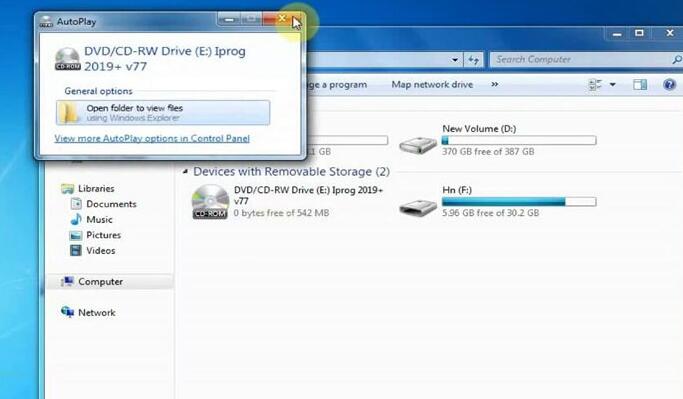
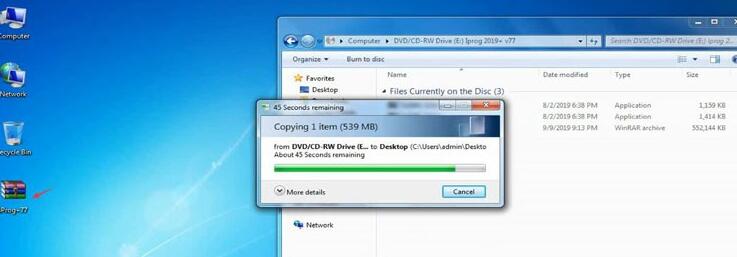
Iprog ECU programmer has been updated to V77. Check the free download link and installation guide below. Iprog+ V77 ECU Programmer Free Download https://mega.nz/#!hMxViSZJ!flDyz5MqXAhLHldDZ9EIII_b_CTPQj3Ansuraw12rP8 How to install iprog pro v77 on window 7? Procedure: Go to DVD/CD-RW Drive (E disk)
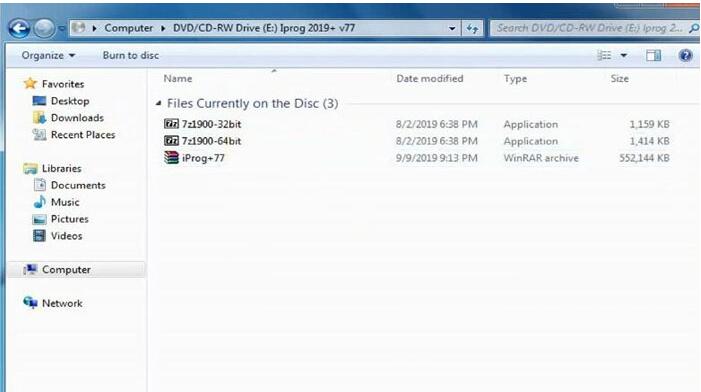
Open “Iprog 2019+ v77” You will see: 7z1900-32bit 7z1900-64bit Iprog+77.exe
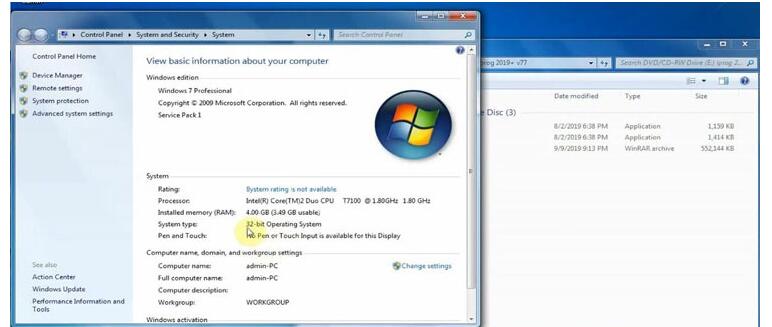
View the computer is 32 bit or 64 bit
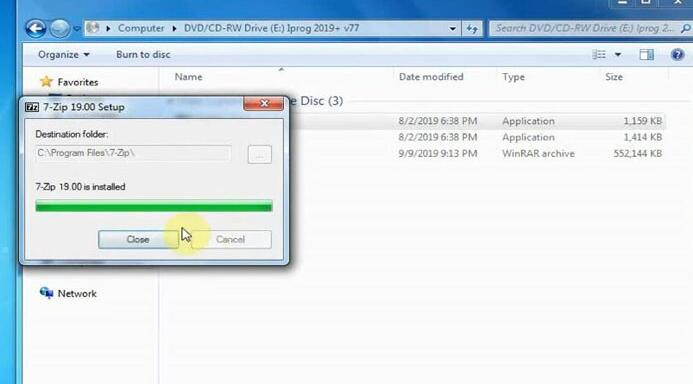
Select the corresponding file to install
Copy “iProg+_2019_00001″ and paste it on the desktop
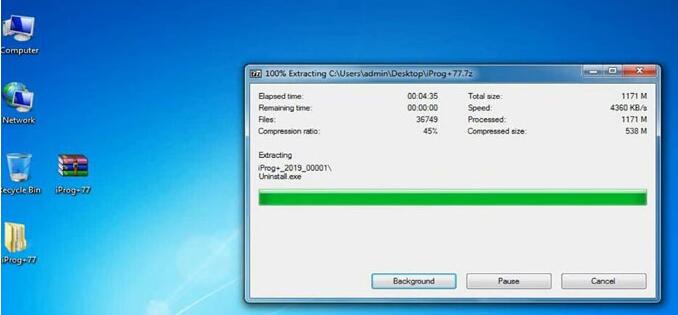
Right click on “iProg+_2019_00001″, select “7-zip” to extract.
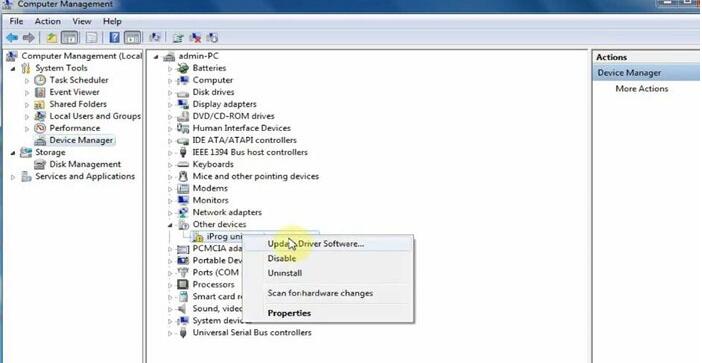
Go to Computer-> “Device Manager” Right click on “iProg universal programmer” Select “Update Driver software”
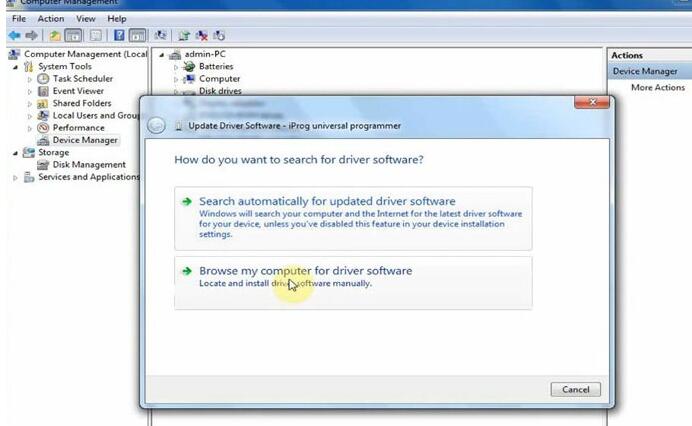
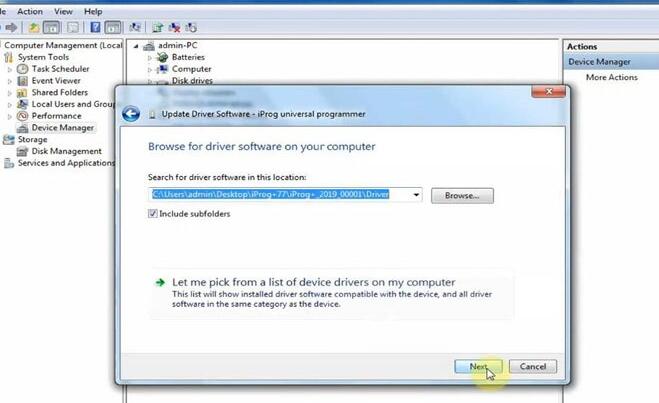
Select “Browse my computer for driver software” and click “OK”
Search for driver software in the corresponding location Click “Next” to continue
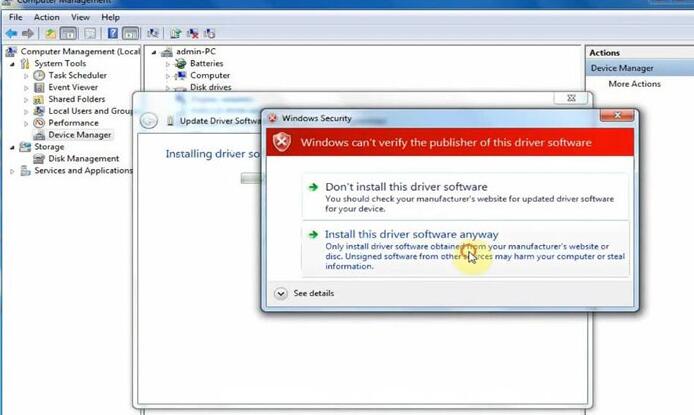
Select “Install this driver software anyway” to install
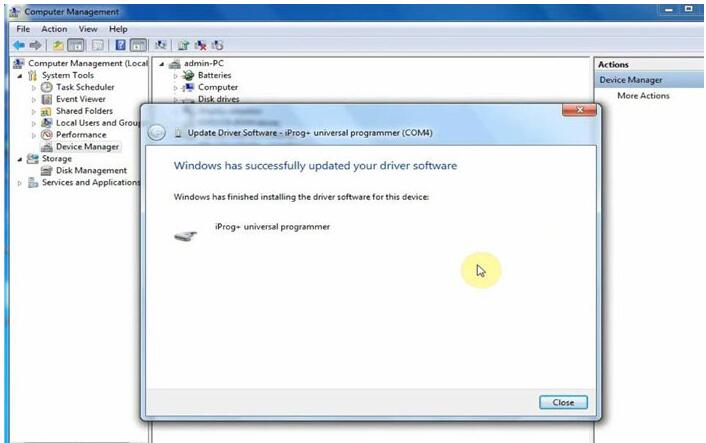
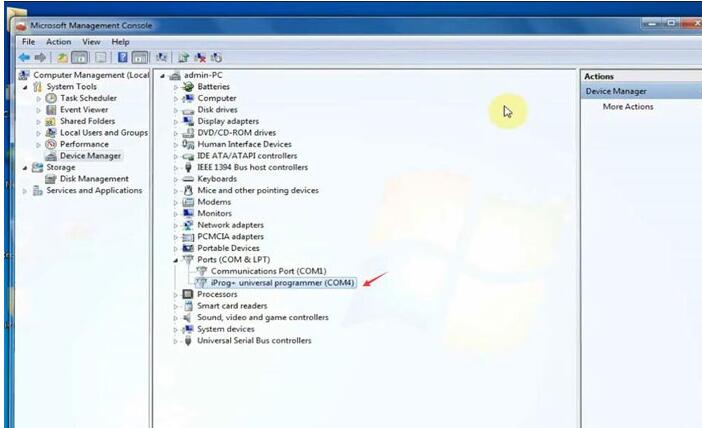
iProg+ universal programmer has been installed successfully
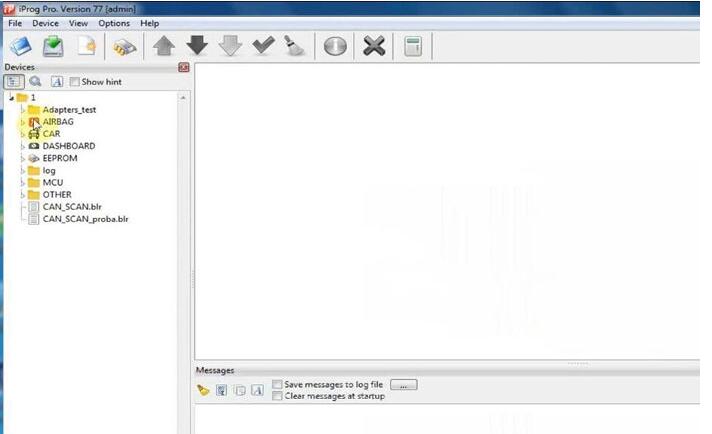
Open iProg Pro version 77 Come to main menu Adapter _test AIRBAG CAR DASHBOARD EEPROM Log MCU OTHER: CAN_SCAN.bir, CAN_SCAN_proba.bir
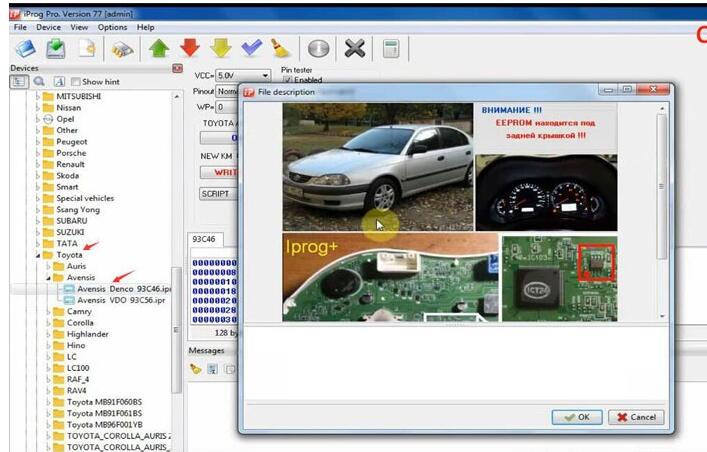
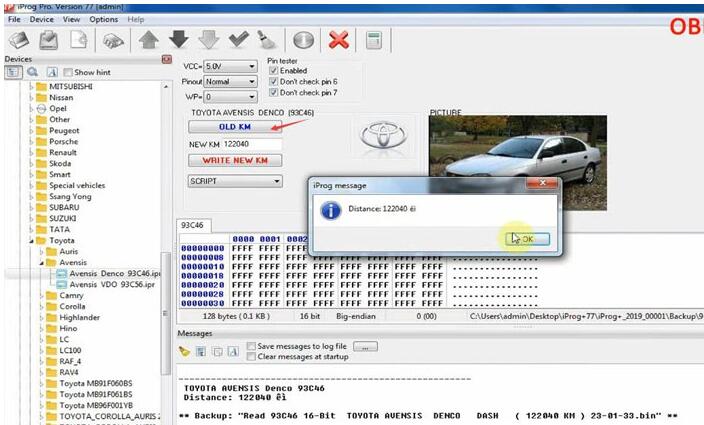
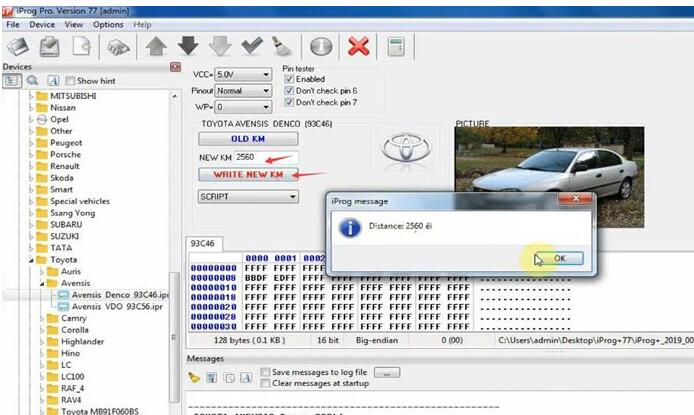
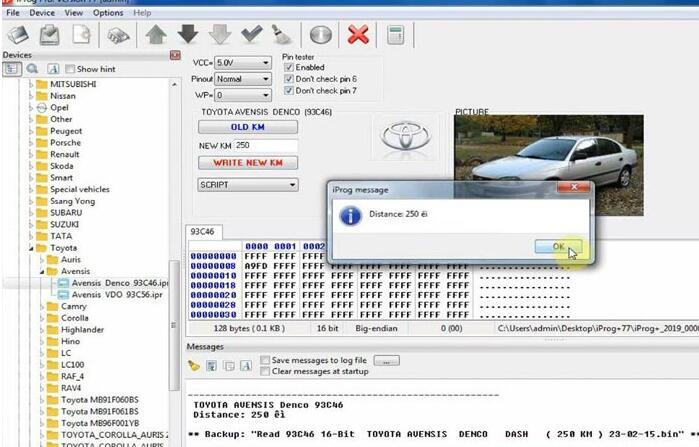
1.iProg+ V77 clone dashboard functions (read km, write a new km on many cars). Take “Toyota Avensis Denco 93c46.ipr mileage correction for example. Click OLD KM to show the current KM is 122040 Change the KM to 2560 and click “WRITE NEW KM” Write the new KM success Change the mileage again Also write success
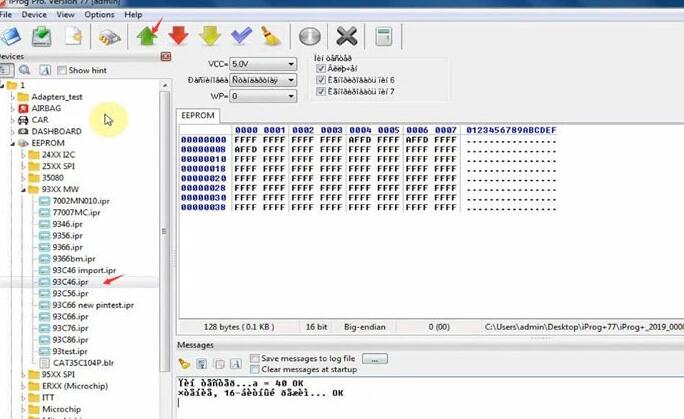
2.Read/write/erase eeprom Take “93c46 import.ipr” for example
Enjoy! |
|
| ( 休閒生活|其他 ) |