字體:小 中 大
 |
|
|
|
| 2021/02/08 20:35:28瀏覽90|回應0|推薦0 | |
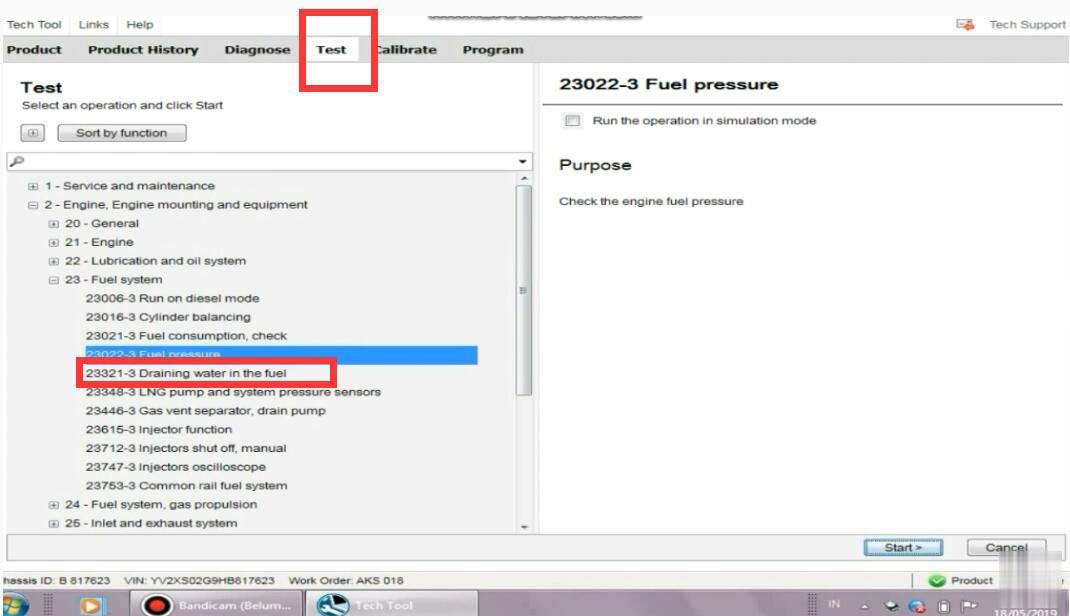
This is a instruction show you guide on how to use Volvo Tech Tool diagnostic software do to fuel pressure monitor for Volvo FM4 truck. Procedures: Run Volvo Tech Tool software on your PC,then input user ID to login (offline) Select “Test”–>”23-Fuel system”–>”Fuel pressure” Then click “Start” button
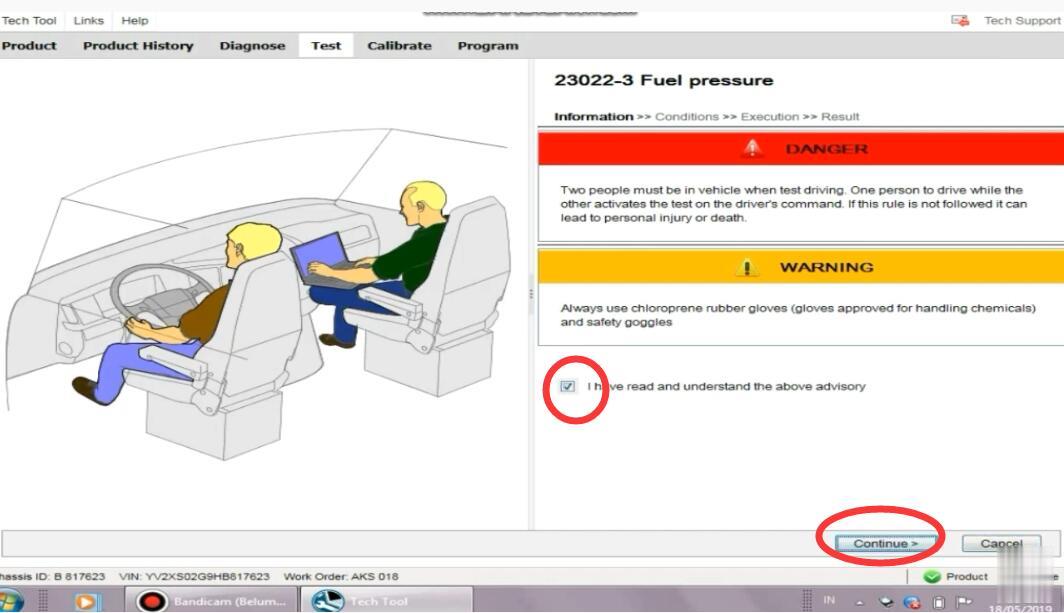
It show you warning message,select “I have read and understand the above advisory” And click “Continue”
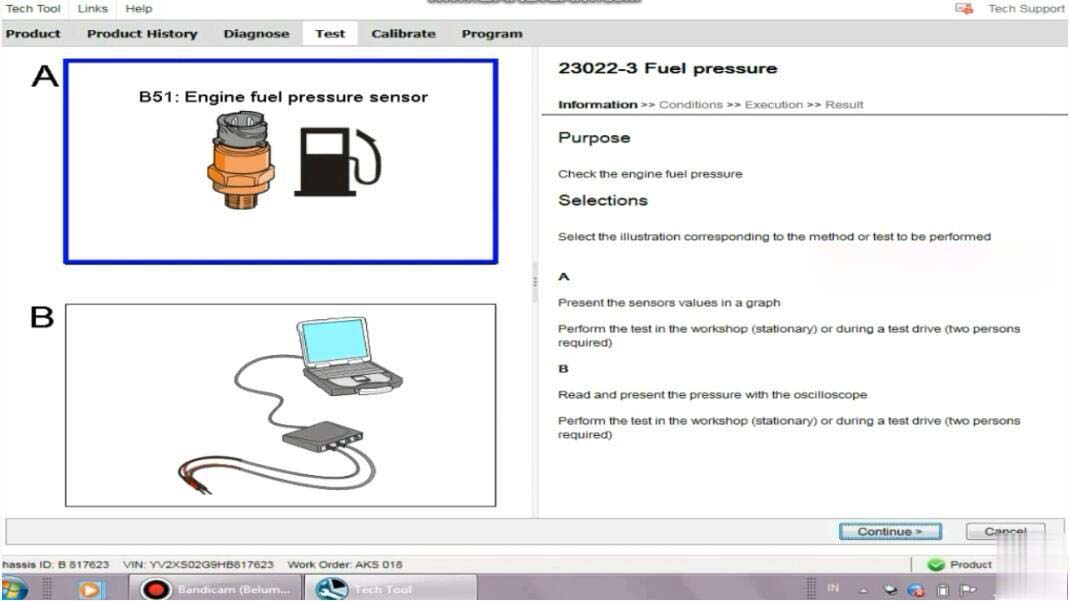
There are two options: A:Present the sensors values in a graph Perform the test in the workshop(stationary) or during a test drive(two persons required) B:Read and present the pressure with the oscilloscope Perform the test in the workshop (stationary) or during a test drive(two persons required) Select “A” and click ”Continue”
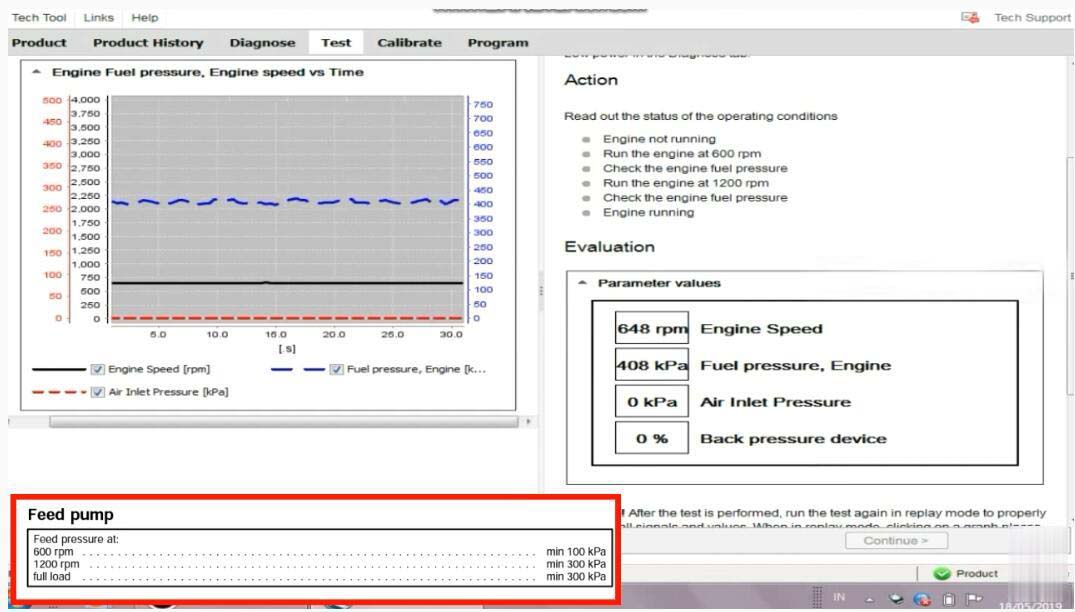
To monitor the fuel pressure in various conditions for example during a test drive;either the oscilloscope test in this operation or a manual pressure gauge must be used.Manual fuel pressure test instructions can be found by selecting the symptom Low power in the diagnose tab. Action: Read out the status of the operating conditions: 1.Engine not running 2.Run the engine at 600rpm 3.Check the engine fuel pressure 4.Run the engine at 1200rpm 5.Check the engine fuel pressure 6.Engine running
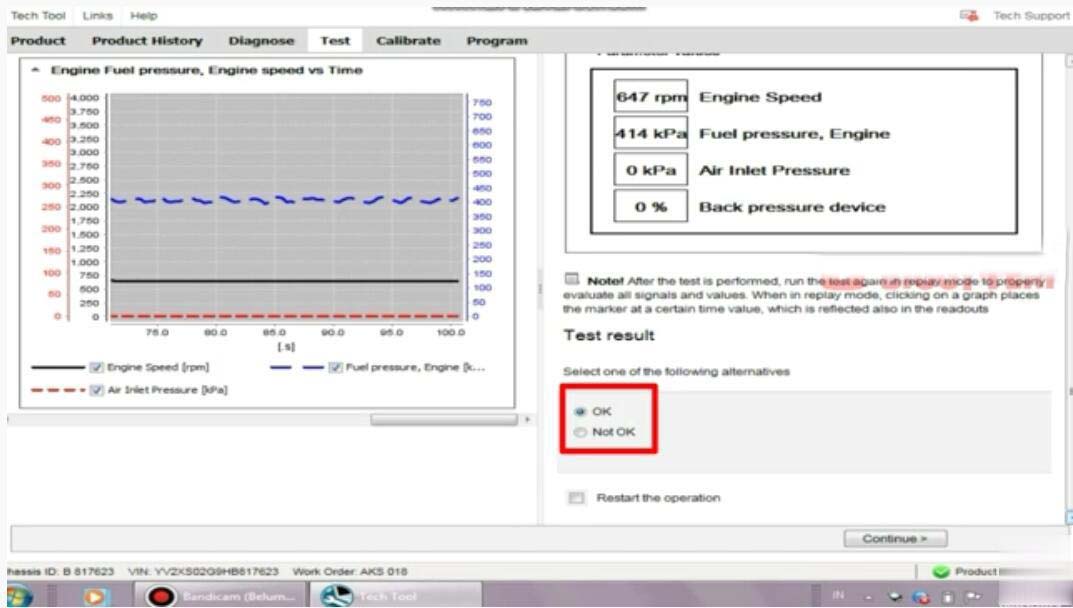
Now here you can record the fuel pressure After then select “OK”,and click “Continue” exit Volvo fuel pressure monitor.
|
|
| ( 心情隨筆|心情日記 ) |