字體:小 中 大
 |
|
|
|
| 2021/07/29 17:05:12瀏覽86|回應0|推薦0 | |
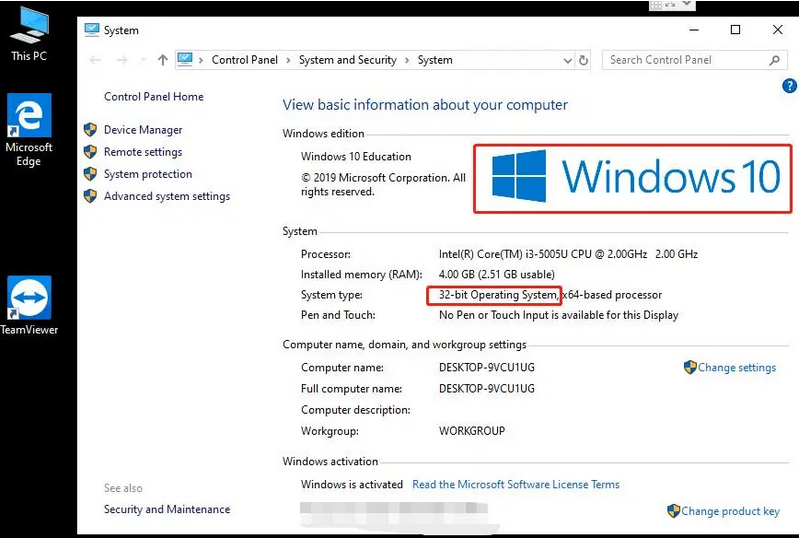
1.Preparation:
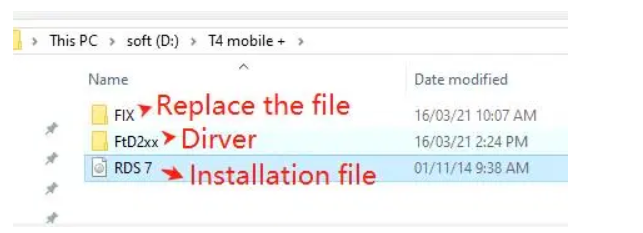
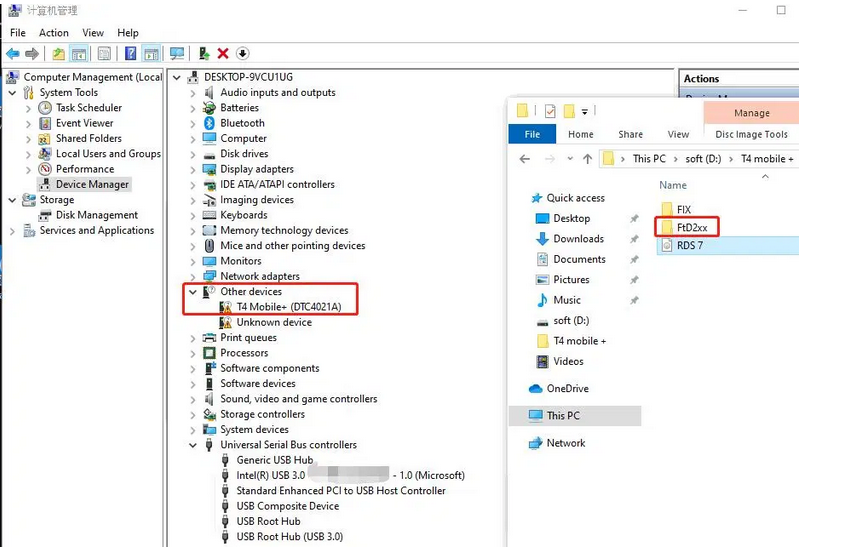
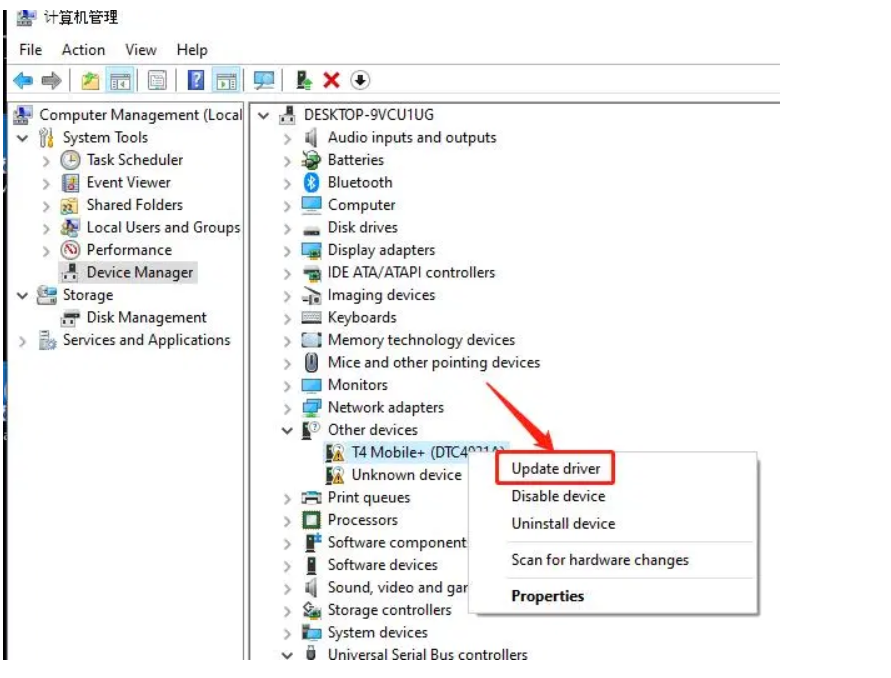
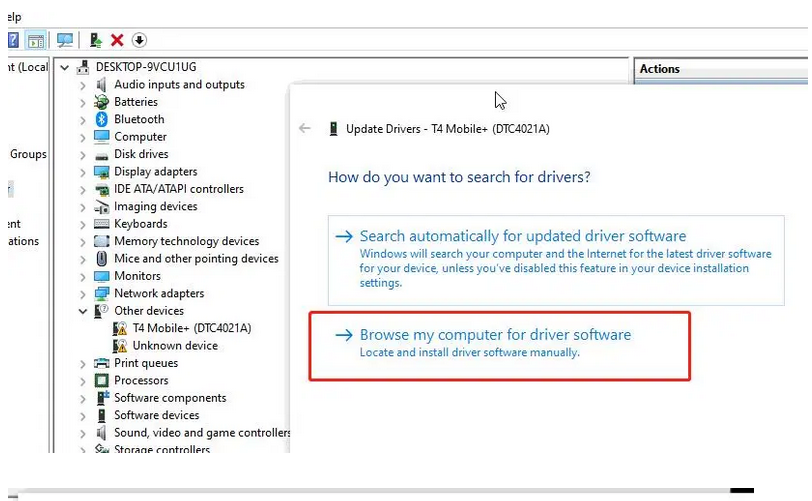
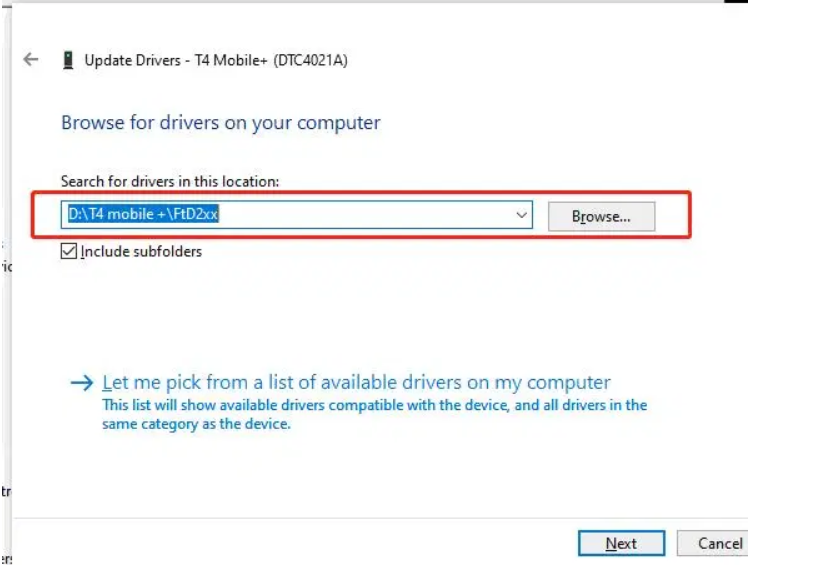
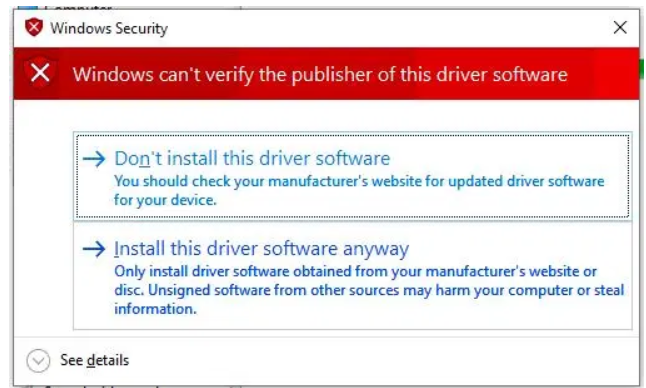
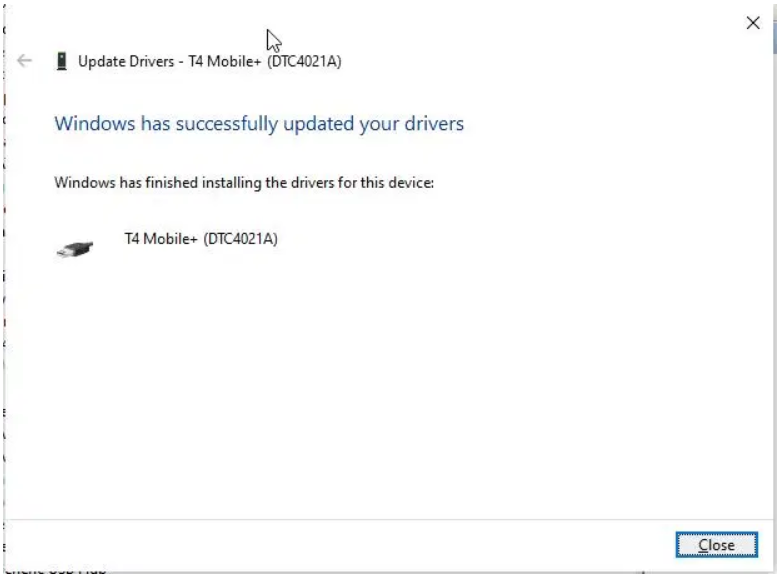
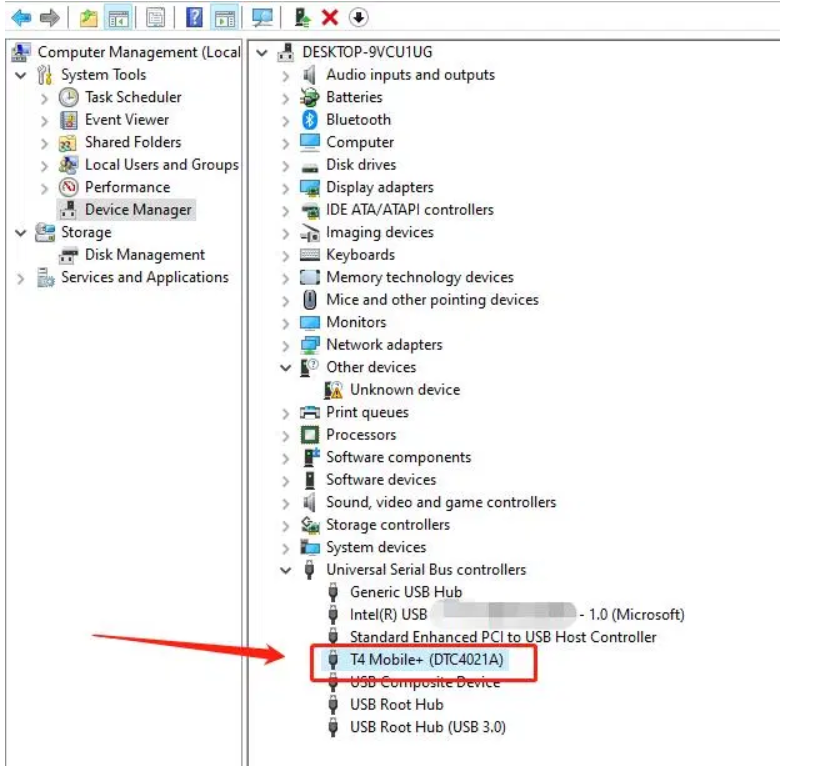
2.Install T4 mobile driver(You can automatically search and install the driver in the device manager);
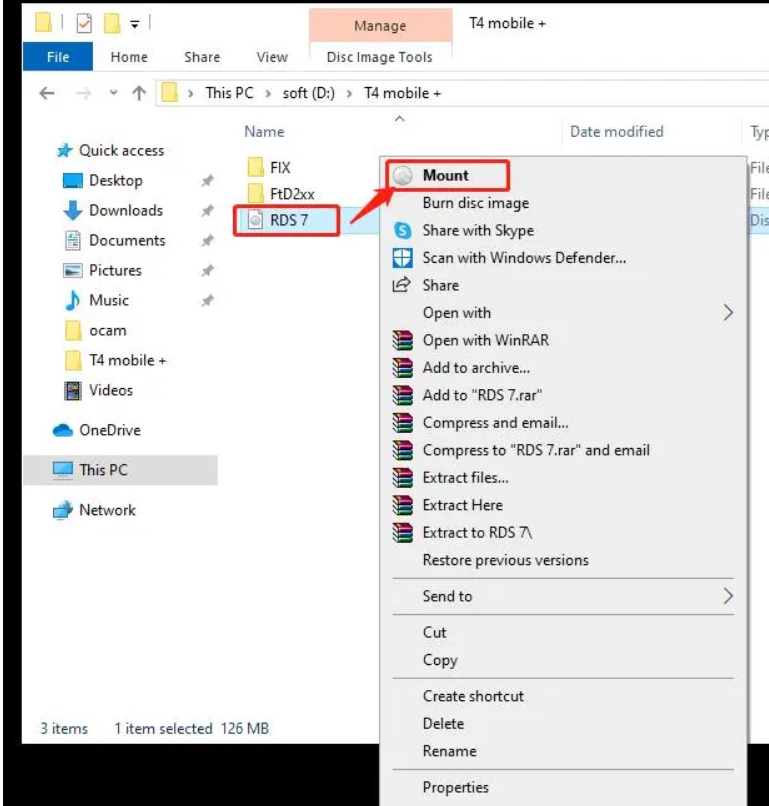
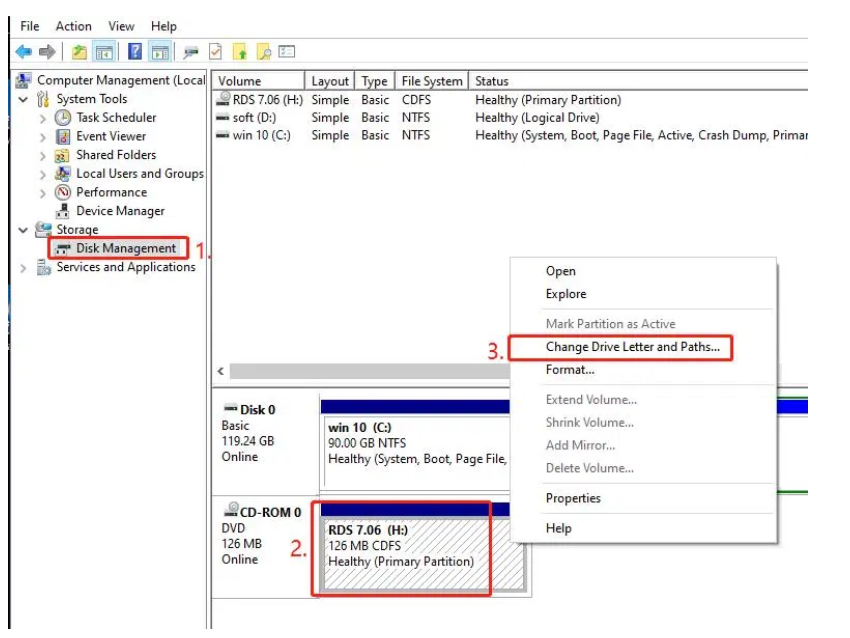
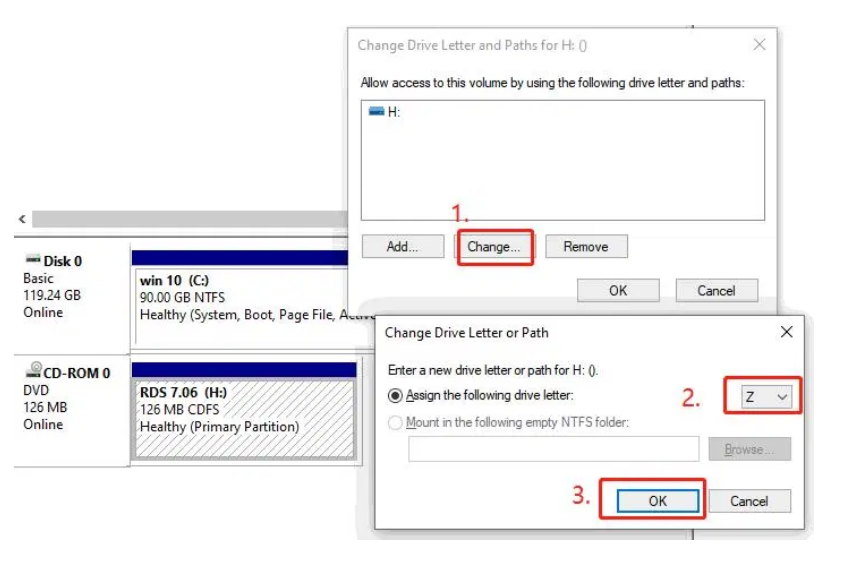
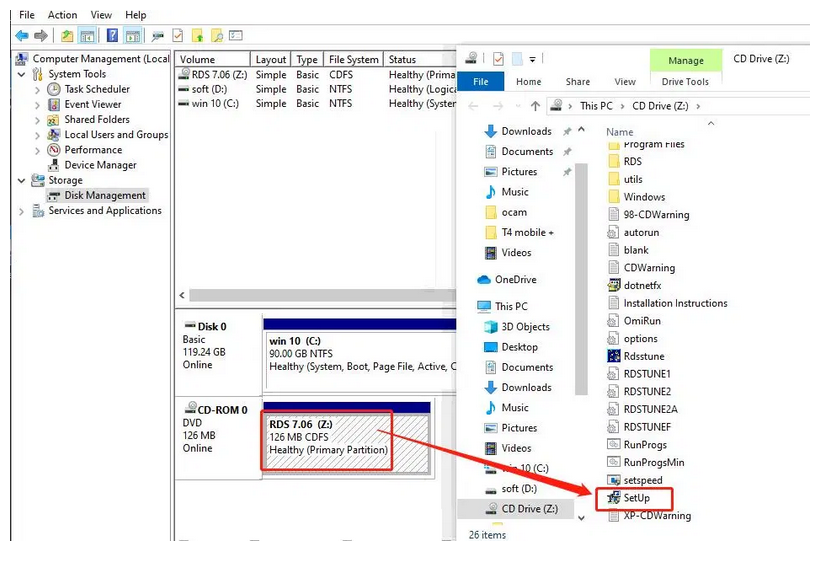
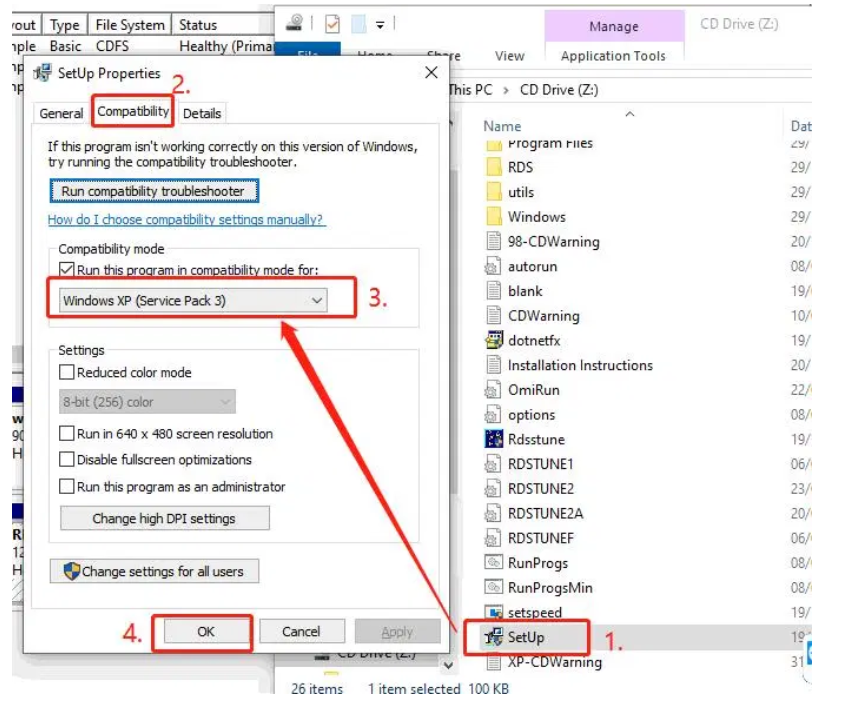
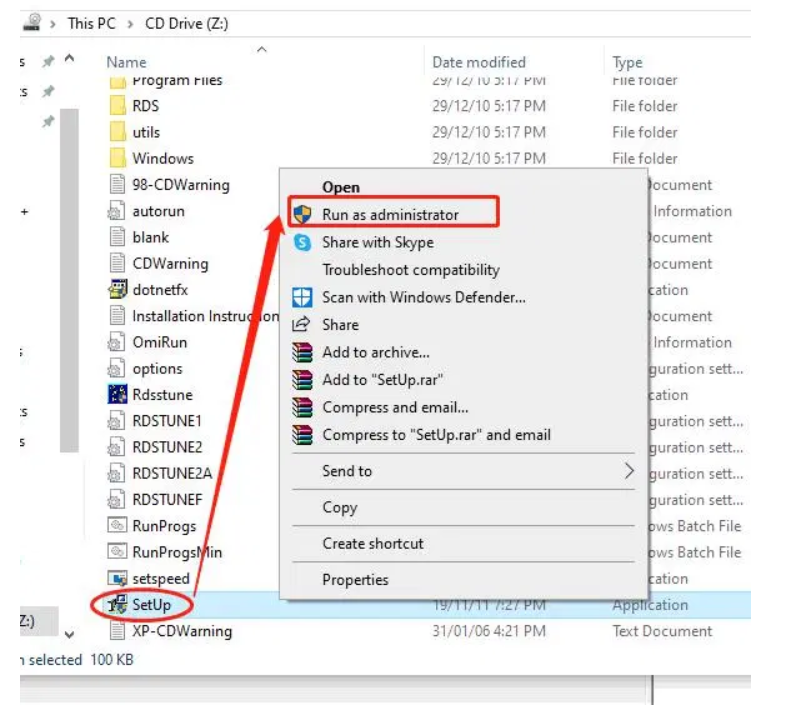
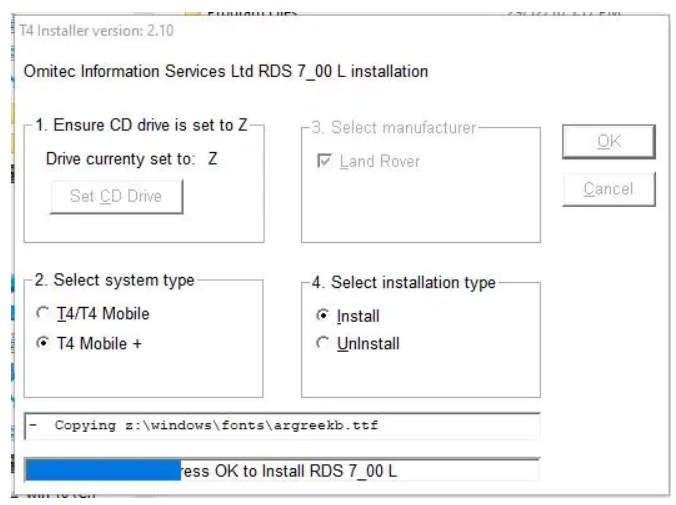
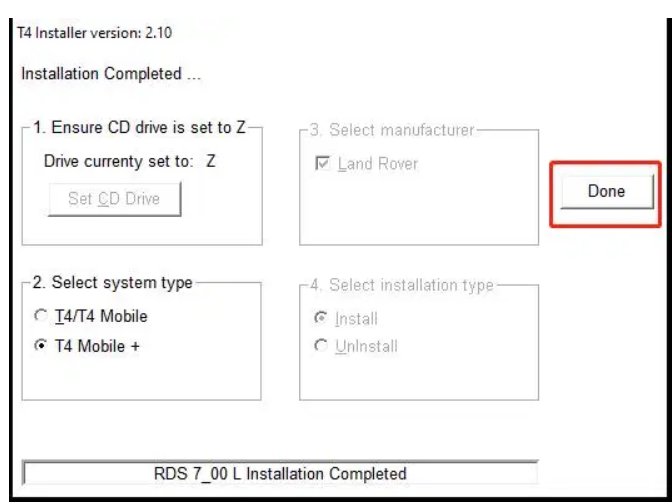
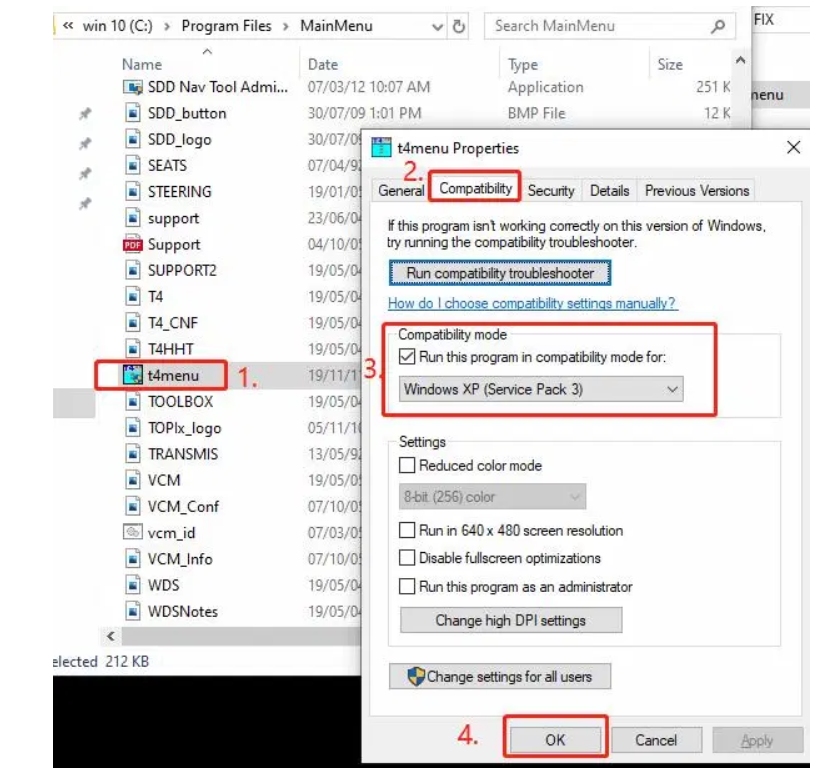
3.Load the RDS image file and change the drive letter of the disk to Z(Software compatibility setting XP SP3);
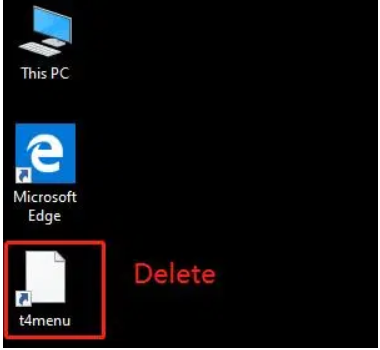
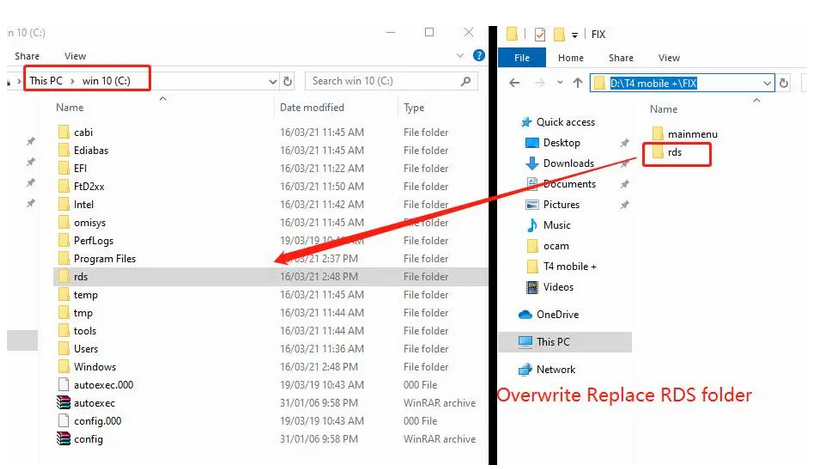
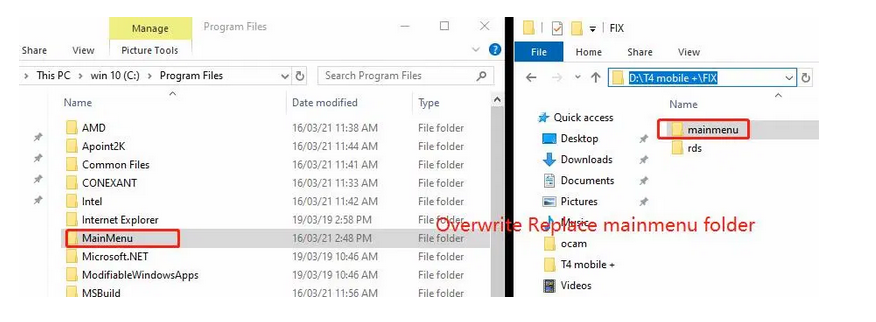
4.After the JLR SDD software is installed, restart the computer, delete the desktop icon, and replace the patch file.
Overwrite Replace RDS and mainmenu folder
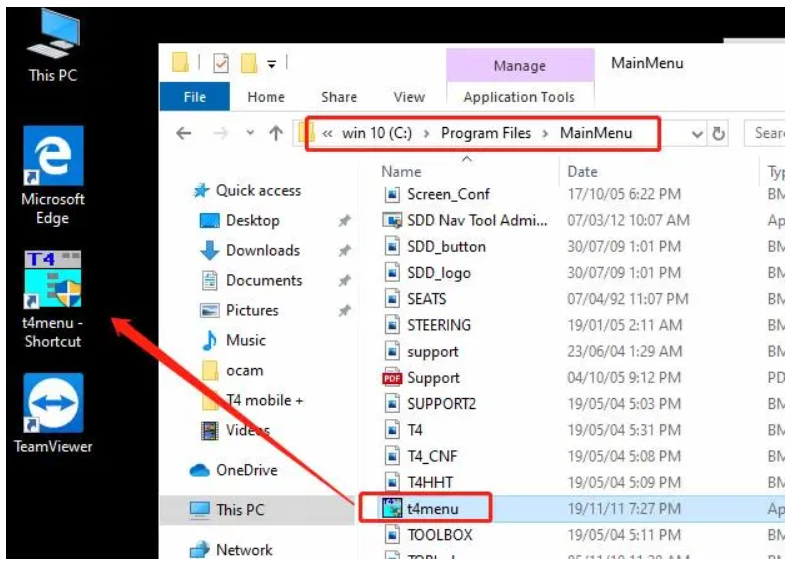
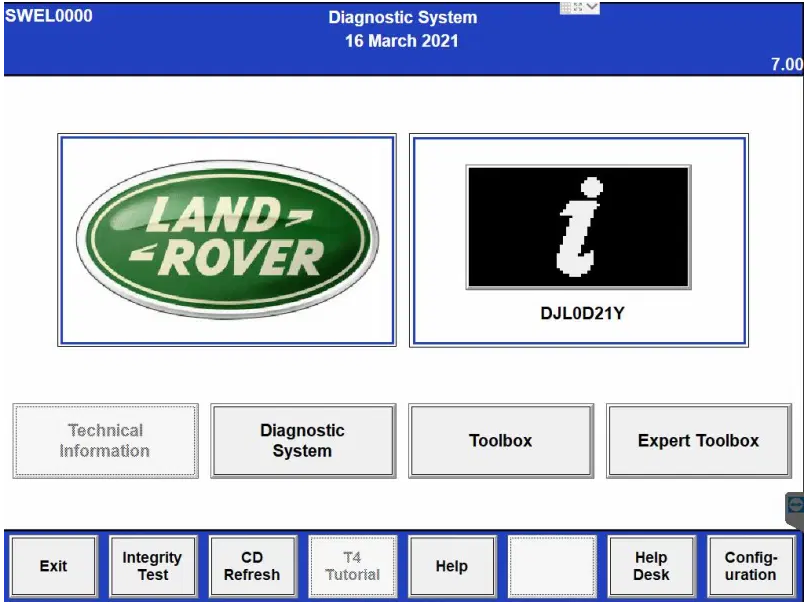
5.Send the new t4menu file shortcut to the windows desktop(Compatible mode XP SP3);
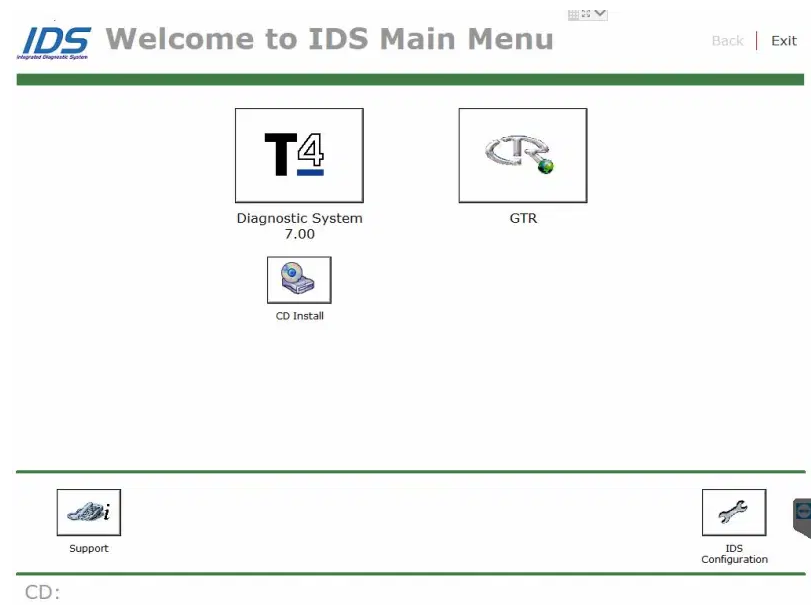
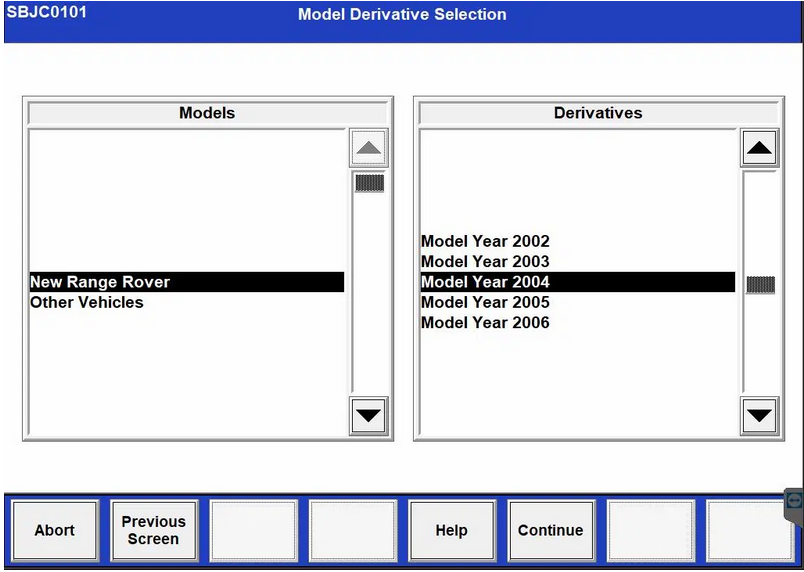
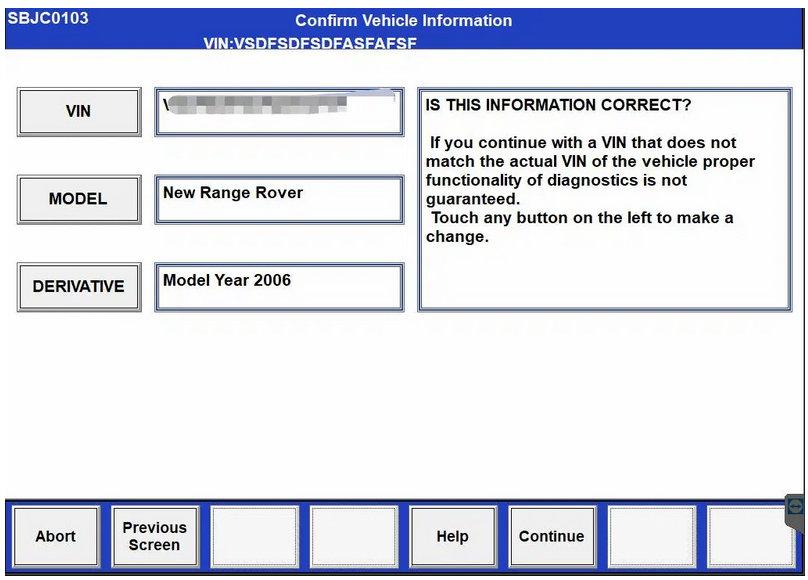
6.RDS diagnostic software installation is complete,Computer screen resolution: 1024*768,(If you are prompted to install windows components before you can use them, install them);
https://jlrvci.blogspot.com
|
|
| ( 興趣嗜好|偶像追星 ) |