字體:小 中 大
 |
|
|
|
| 2021/03/30 19:58:43瀏覽186|回應0|推薦0 | |
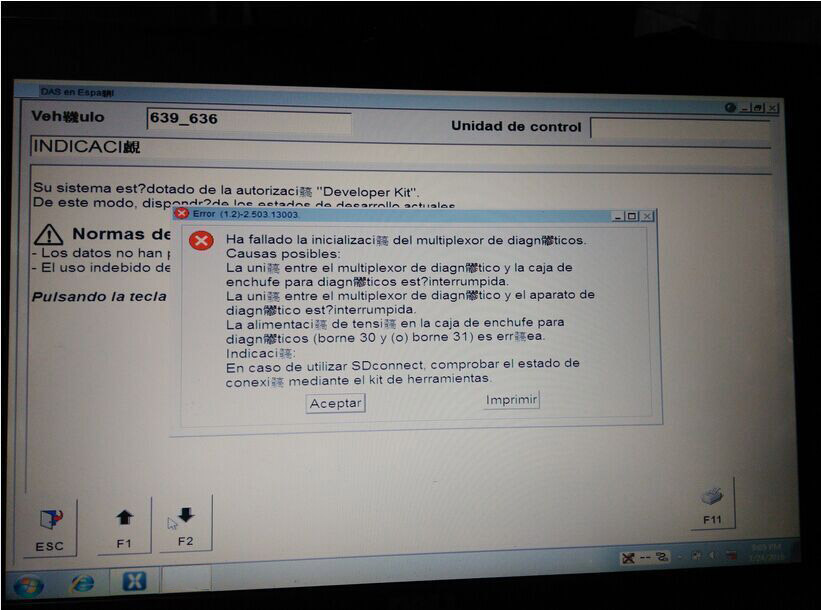
Files c32s.dll and CAL 872 fix can solve Xentry/DAS Fault(1.2)-2.503.13003 “Initialization of diagnosis multiplexer failed”, said users with Chinese STAR C3 diagnostic tool. Multiplexer: Error message: “Fault(1.2)-2.503.13003 Initialization of diagnosis multiplexer failed
Analysis from OBD2TOOL engineers: “your STAR C3 mux is not connected in a proper condition. Check the connection first, with your car and laptop” Disclaimer: Solutions below are offered by users. TRY ON YOUR OWN RISK. Solutions from ZCC Software version: DAS 07/2011 Free download c32s.dll & CAL 872 fix (872 fix is copyrighted) https://mega.nz/#!pkli3YIL!B6v0QFmLxFjb30N_VyoxNPizAnA_bkwqKRY8b1QvVJE Finally I solved this problem. It was really a complex coination of faulty hardware and software. I had a problem with that annoying c32s.dll file. I replaced it with the original 01/2011 one plus I used CAL 872 fix version 2 for DAS 07/2011 onwards. Only the c32s.dll solved the problem. Solutions from fadiboujaoude Software version: Das Xentry 01 2012 Free download oldc3.rar: https://mega.nz/#!481xWILD!ZdYpw60KKfa5MkbmVnuUAFXQW5EFQNQf0TEVdcAt6hg Solved my problem with the following tips… download and set the das32R2(032012) 4.search on this forum for the file oldc3 … extract it .. then run it.. 5. Done this is the only way i got my DAS to read my multiplexer Wish this help! (PS: sorry for that i didn’t mention all the authors which i read their threads and posts but this because i read a lot and i did many and many tries to finally have the solution) |
|
| ( 興趣嗜好|偶像追星 ) |