字體:小 中 大
 |
|
|
|
| 2022/07/16 08:16:04瀏覽1658|回應0|推薦0 | |
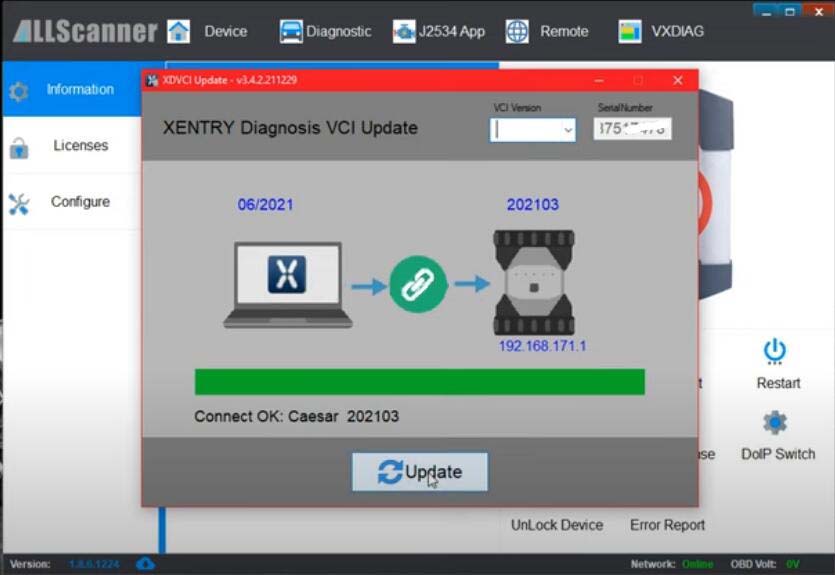
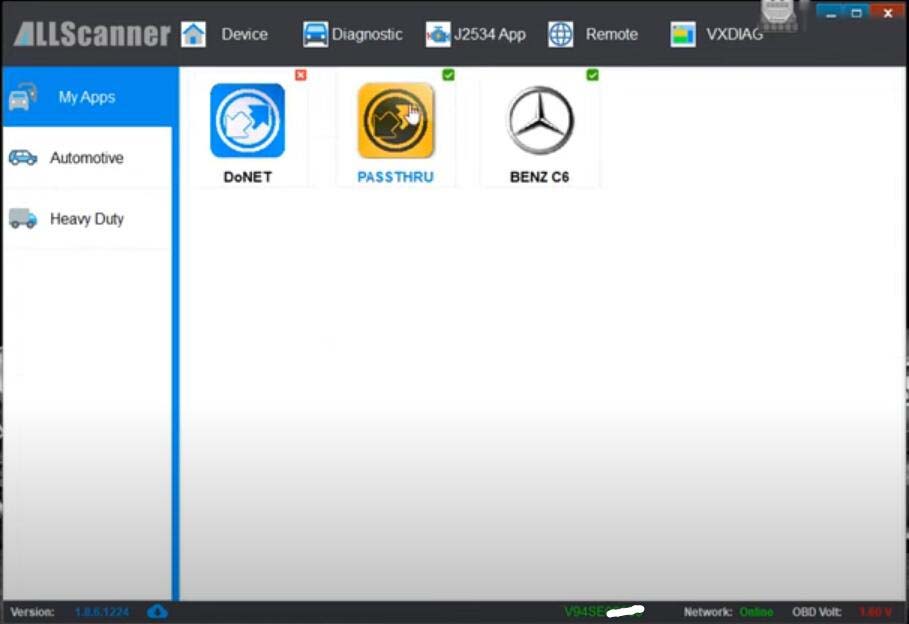
VXDIAG VCX SE Benz and C6 HDD come standard with DTS Monaco 8.13 version. DTS 8.16 has been tested by many with no problems. Here are the DTS 8.16 setup tips for vxdiag scanners. We do not provide DTS 8.16 software download or activation service. DTS 8.13 requires no activation and no special setting. Run straight and go. First let’s connect vcx. Connect vcx se or c6 vci to a laptop. Install and activate DTS 8.16. Run vx manager. Update the Xentry VCI driver
Select Xentry VCI version according to your xentry version
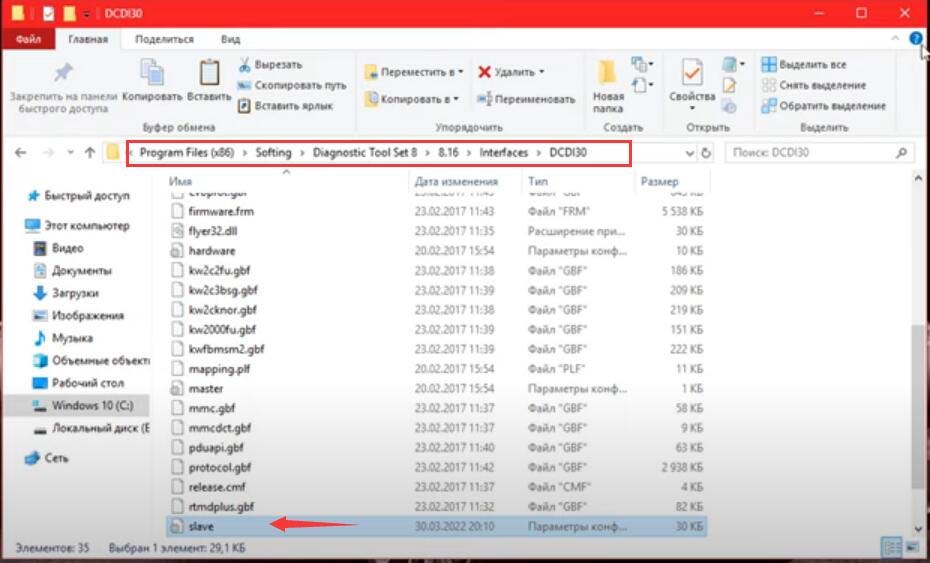
Device is connected Go to the folder you downloaded and copy this file (slave) Copy and paste slave file to C:/Program Files (x86)/Softing/Diagnostic Tool Set 8/8.16/Interfaces/DCDI30 folder
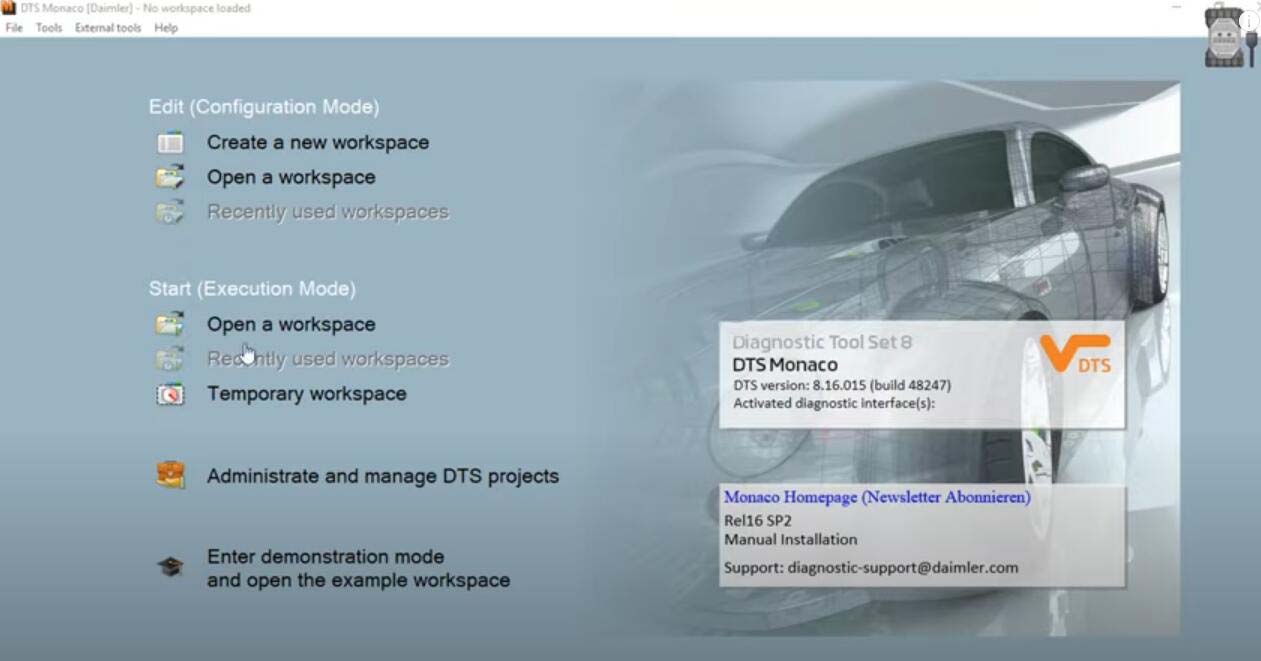
Run DTS Monaco 8.16
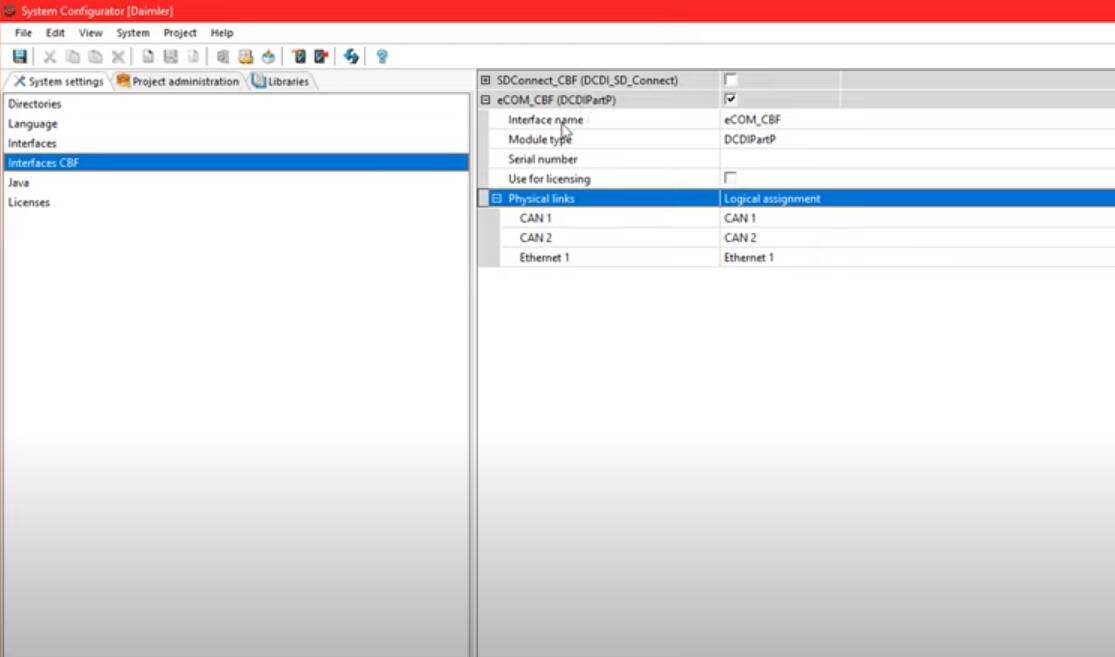
Open Adminisrate and manage DTS projects Go to System settings- Interface CBF Tick eCOM_CBF (DCDiPartP)
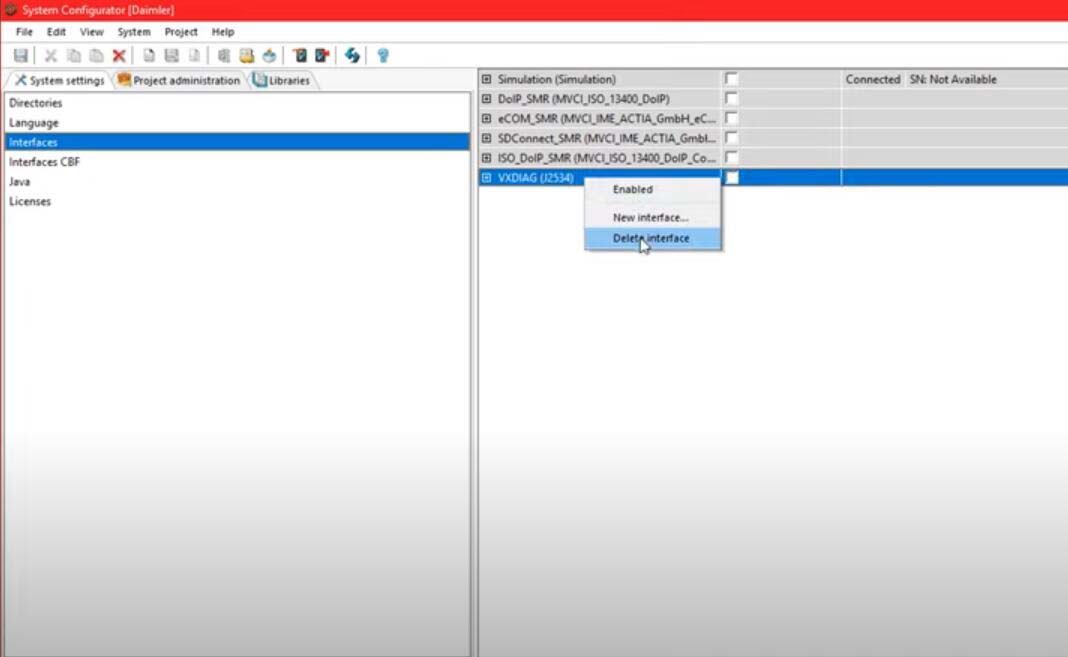
In Interface section, select VXDIAG (J2534) interface
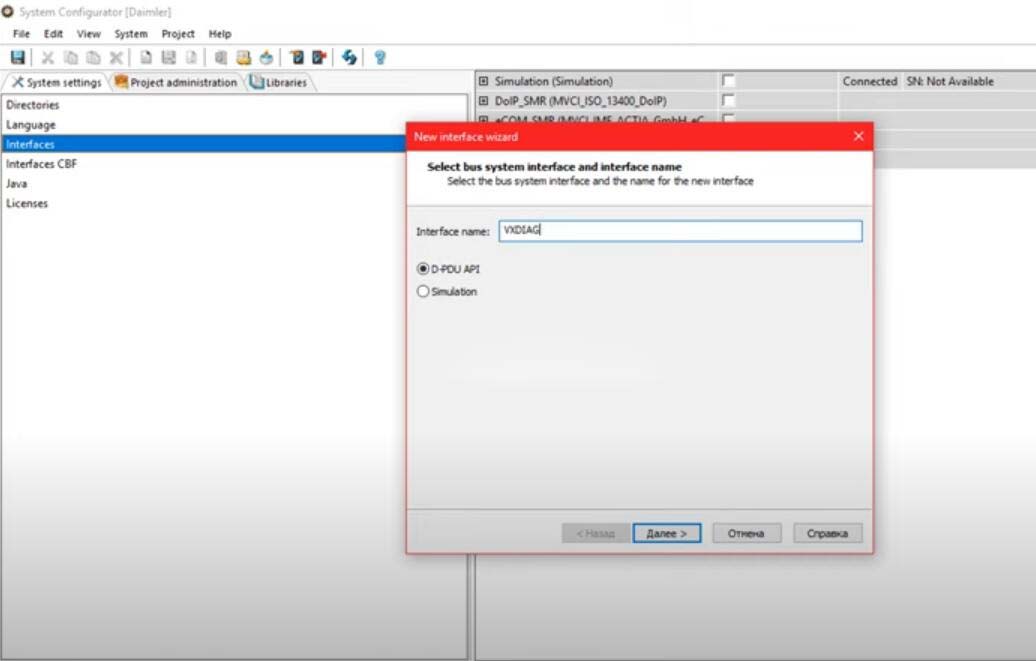
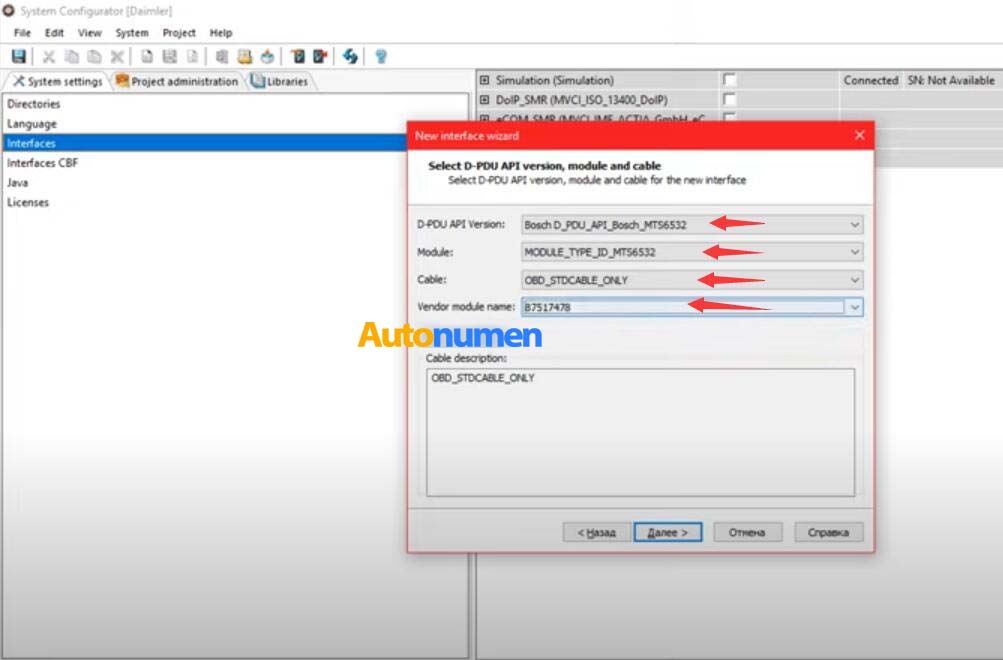
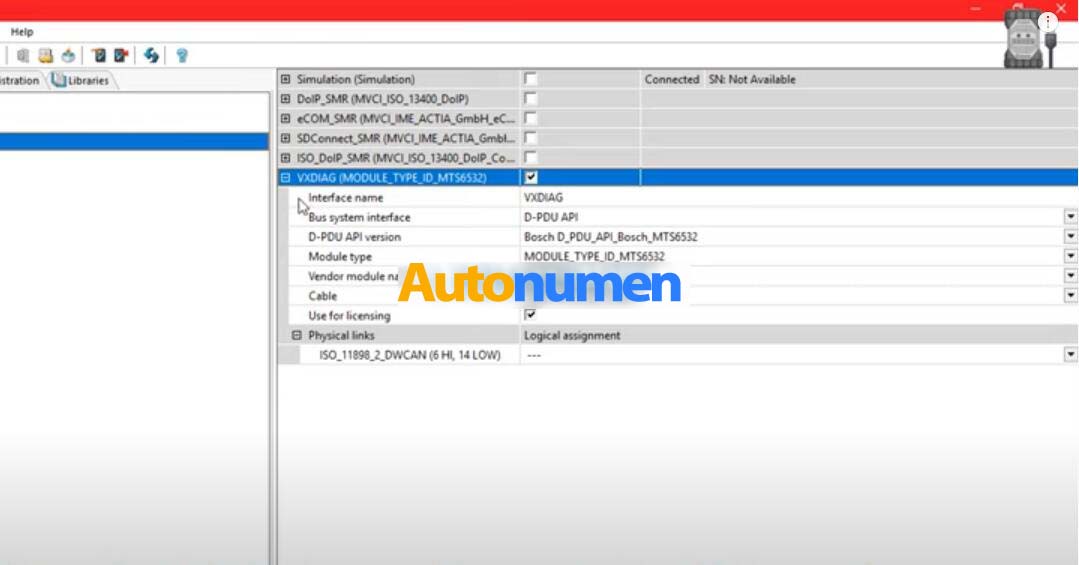
Add new interface: VXDIAG
Press Next D-PDU API version: Bosch D_PDU_API_Bosch_MTS6532
|
|
| ( 興趣嗜好|電腦3C ) |