字體:小 中 大
 |
|
|
|
| 2025/10/15 18:11:23瀏覽437|回應2|推薦1 | |
Windows 黑螢幕當機 , 跟 Intel WiFi 有關, 直接解法: HKEY_LOCAL_MACHINE\SYSTEM\CurrentControlSet\Control\Power PlatformAoAcOverride = 0 停用 Windows 11 的 Modern Standby(S0 低功耗模式) ==
===========
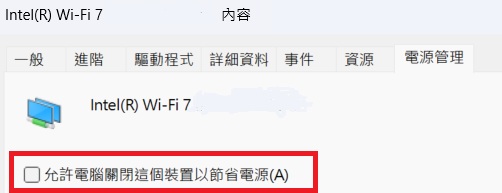
另外 Windows 11 pro 內 裝置管理員 -> 網路介面 -> Intel WIFI interface -> 電源管理 Intel WiFi 網卡的 允許電腦關閉這裝置以節省電源。 不要勾選!!
|
|
| ( 知識學習|科學百科 ) |